How to Keep the Same AI Character Consistent Across Images (Seeds, Reference Images & Prompts)
October 7, 2026
You finally did it. After twenty generations, you have her — the exact face, the exact look, the character you want to build a whole series around. You save the prompt, generate the next image, and… she’s gone. Same prompt, same settings, and the woman on screen is a stranger wearing your character’s clothes.
This is the defining frustration of AI character work. Image generators are phenomenal at producing a beautiful woman and terrible at producing the same beautiful woman twice. The good news: keeping a character consistent across images is a learnable skill, not luck. It rests on three pillars — seeds, prompt anchoring, and reference images — plus a workflow that knows when to refine and when to walk away.
In this guide, you’ll learn exactly what seeds do and don’t lock, how to write a reusable character description that holds a face together across dozens of generations, how reference-image workflows work (and why they’re the strongest consistency tool available), and the step-by-step workflow that professional AI artists use for character series. The techniques work on any modern generator, including the SpicyLab AI porn generator — which you can try free, one preview per IP, no watermark, no sign-up needed for the trial.
Key Takeaways
- Seeds control the starting randomness, not the character. Reusing a seed with the same prompt reproduces the image; changing anything else breaks the match.
- Prompt anchoring — a fixed, detailed character description reused verbatim — is the cheapest way to keep a face recognizable across different scenes.
- Reference images (feeding a keeper portrait back into the generator) are the strongest consistency tool available, especially for faces.
- No method is perfect. Faces drift; expect 80–90% consistency from good technique, not 100%.
- Have an exit rule. If a character has drifted beyond recognition after several fixes, it’s faster to lock a new keeper than to rescue the old one.
In This Guide
- What “Consistency” Actually Means
- Seeds: What They Lock (and What They Don’t)
- Prompt Anchoring: Your Character Sheet in Words
- Reference Images: The Strongest Tool You Have
- The Iterative Refinement Workflow
- Method Comparison: Which Tool for Which Job
- When to Give Up and Start Over
- Common Mistakes That Break Consistency
- FAQ
What “Consistency” Actually Means
Before reaching for techniques, define what you’re actually trying to preserve. “Consistency” is really three separate things, and they have different difficulty levels:
- Facial identity — the hardest. The exact face, recognizable across images. This is what most people mean by consistency, and it’s where generators struggle most.
- Wardrobe and styling — medium difficulty. Keeping the same outfit, hairstyle, or tattoo across a series. Easier than faces because you can describe clothing precisely in words.
- Art style and mood — the easiest. Photorealistic vs. anime, lighting mood, color palette. A few style keywords in every prompt handle this reliably, as our art styles guide explains.
The honest baseline: with good technique, you can hold facial identity at roughly 80–90% similarity across a series — clearly the same person to a viewer, with small variations a real photograph would never have. Anyone promising pixel-perfect character persistence across arbitrary scenes is selling something. The goal is recognizable, not identical.
Seeds: What They Lock (and What They Don’t)
A seed is the number that initializes the random noise the generator starts from. Same model + same prompt + same seed + same settings = the same image, every time. Change the seed, and you get a different roll of the dice.
This makes seeds the foundation of all consistency work — but their power is widely misunderstood. Here’s what seeds actually lock:
- Reproducibility. Find a face you love? Note the seed. You can regenerate that exact image anytime.
- Controlled variation. Keep the seed, tweak one prompt element (“red dress” → “blue dress”), and the composition stays similar while only that element changes. This is the single most useful seed technique for character series.
- A starting point for series. A great seed+prompt combo becomes the “home base” you keep returning to.
And here’s what seeds don’t do:
- They don’t lock identity across different prompts. A seed with “portrait in a café” and the same seed with “portrait on a beach” will produce different-looking people. The seed shapes the noise; the prompt shapes what the noise becomes.
- They don’t survive setting changes. Change resolution, sampler, or model version, and the same seed produces a different image.
- They don’t transfer between generators. A seed from one platform means nothing on another.
Practical rule: when you land a keeper, save the seed and the full prompt and the settings together — one without the others is useless. For a series, start every new scene from the keeper’s seed, change only the scene description, and check whether the face survived before changing anything else.
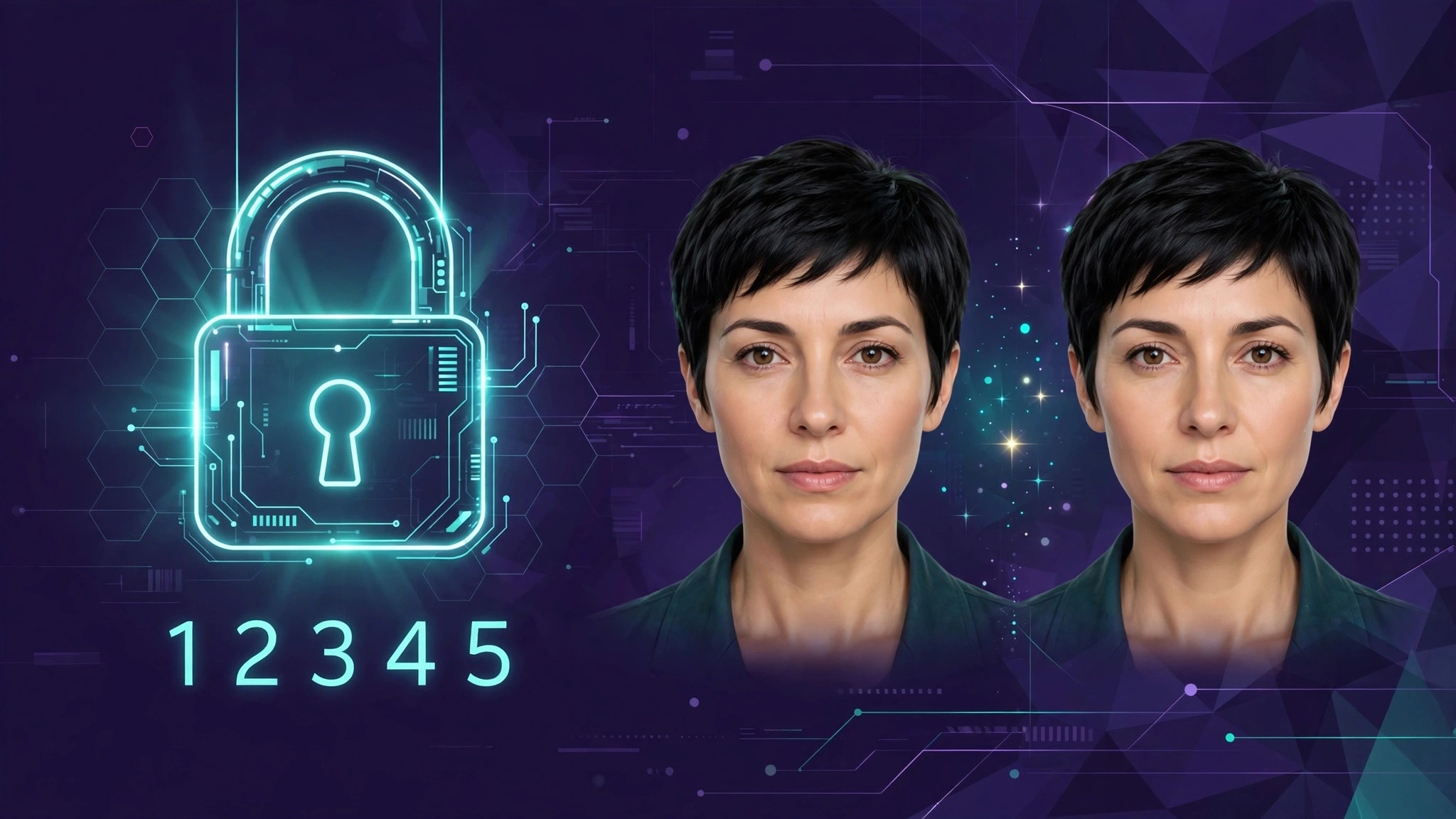
Prompt Anchoring: Your Character Sheet in Words
Prompt anchoring means writing one fixed, detailed character description and pasting it verbatim into every prompt in the series. Think of it as a character sheet in prose form. The generator can’t remember your character between images — but if the words are identical, the visual output converges toward the same person.
A weak anchor looks like this: “beautiful woman with brown hair.” That’s a million different women. A strong anchor is specific, ordered, and stable:
“Mara, 28, heart-shaped face, high cheekbones, full lips, slightly upturned nose, hazel eyes with heavy lashes, long wavy auburn hair with side part, small mole below left eye, athletic build”
The principles that make anchors work:
- Specificity beats poetry. “Hazel eyes with heavy lashes” anchors better than “captivating gaze.” Describe geometry, not vibes: face shape, nose shape, eye color, hair texture and part, distinguishing marks.
- Order matters. Put the most identity-critical traits first (face shape, eyes, hair). Generators weight early prompt tokens more heavily.
- Freeze it verbatim. The anchor is a contract. Don’t rephrase it between images — “wavy auburn hair” and “auburn wavy hair” are close in meaning but produce measurably different results over a series. Copy-paste, don’t retype.
- Separate character from scene. Structure every prompt as [anchor] + [scene/action] + [style/lighting]. The anchor never changes; only the scene part does.
- Include one or two “impossible” details. A mole, a specific tattoo, an unusual eye color — distinctive markers give both you and the viewer something to check consistency against.
Anchoring alone won’t hold a face perfectly — language is lossy, and “heart-shaped face” still leaves room for interpretation. But a strong anchor combined with a fixed seed gets you most of the way there, and it costs nothing extra per generation.
Reference Images: The Strongest Tool You Have
If prompt anchoring is describing your character in words, reference images are showing the generator her photograph. You feed a keeper portrait back into the generator as a visual guide, and the model uses it to steer the new image toward the same face. Across every method available today, this produces the strongest facial consistency — because an image carries thousands of details no prompt can express.
The typical reference workflow:
- Generate and select your keeper. Produce a batch of portraits and pick the single best face — clean, front-facing or three-quarter view, good lighting. This portrait becomes your “character reference.”
- Feed it back as reference. In the generator’s reference/character mode, upload the keeper portrait and set the reference strength. Higher strength = closer match to the reference, but less freedom for new poses and scenes.
- Describe only what’s new. Your prompt now covers the scene, pose, outfit, and style — the face comes from the reference. Don’t re-describe the face in detail; let the image do that work.
- Iterate the strength. If the face drifts, raise the reference strength. If the image looks like a traced copy of the reference with no natural variation, lower it. The sweet spot is usually in the middle.
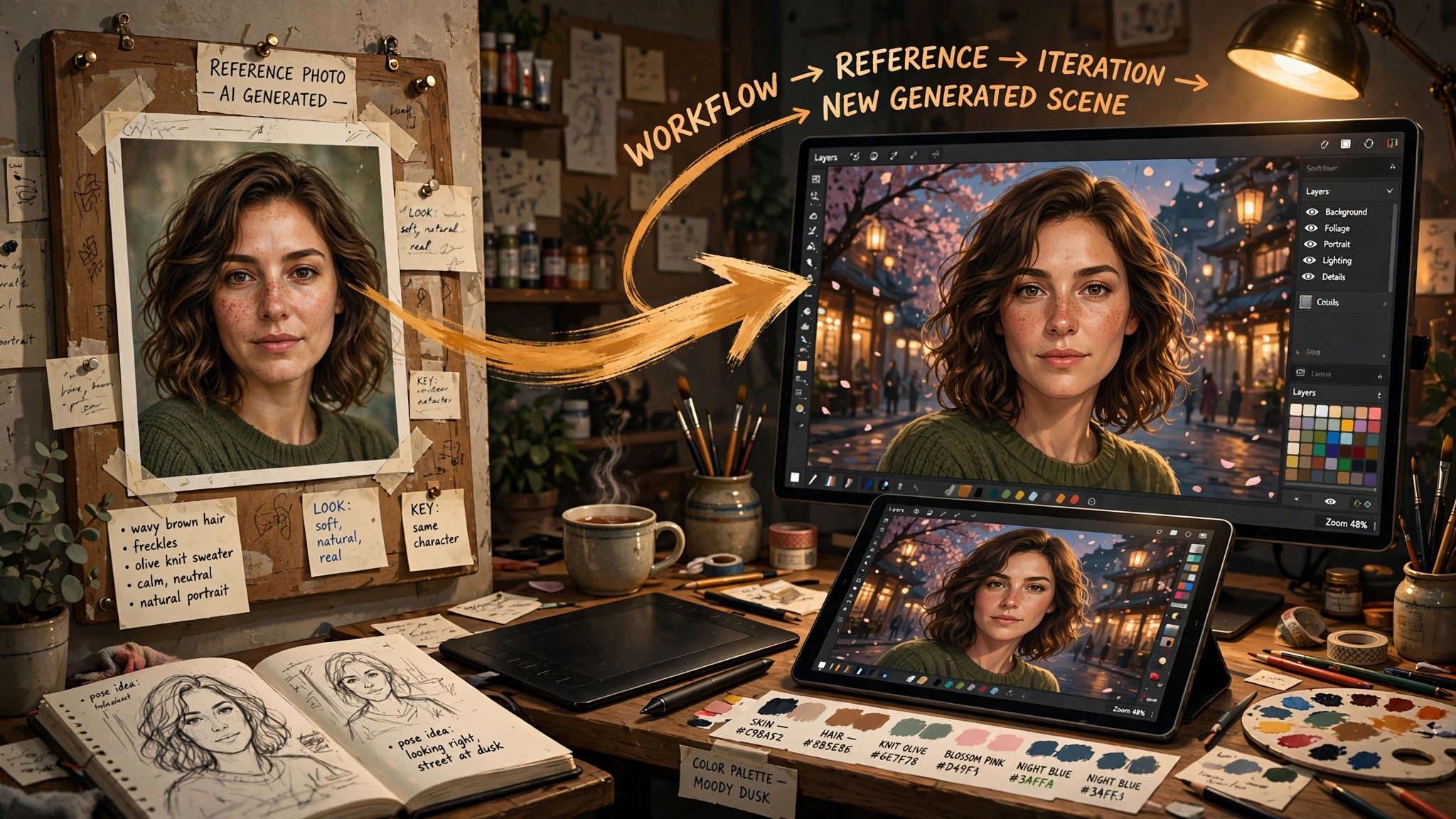
Reference images have limits worth knowing. They work best when the new scene resembles the reference in angle and lighting — asking for a profile view from a front-facing reference forces the model to invent the unseen side, and invention is where drift creeps in. They also can’t fix a bad reference: if your keeper has subtle asymmetry or a melted ear you didn’t notice, the reference workflow will faithfully reproduce the flaw across the whole series. Inspect your keeper ruthlessly before committing to it — a 2x upscale as a diagnostic is a good way to catch hidden defects.
Combining methods: the professional stack is all three at once — reference image for the face, prompt anchor for wardrobe and styling, fixed seed for reproducibility. Each covers the others’ weaknesses.
The Iterative Refinement Workflow
Here’s the practical loop for building a consistent character series, in order:
- Explore (seeds vary, anchor fixed). Write your anchor, generate a batch with random seeds, and pick the best face. Don’t worry about scenes yet — you’re casting, not shooting.
- Lock the keeper. Save the winning seed, full prompt, and settings. Upscale it 2x and inspect for hidden flaws. This portrait is now your character reference.
- Build the series (seed fixed, scene varies). For each new image, keep seed + anchor, change only the scene. Generate 2–4 variations per scene and pick the one where the face held.
- Escalate when drift appears. If the face starts slipping, add the keeper as a reference image before changing anything else. Reference is the strongest correction tool.
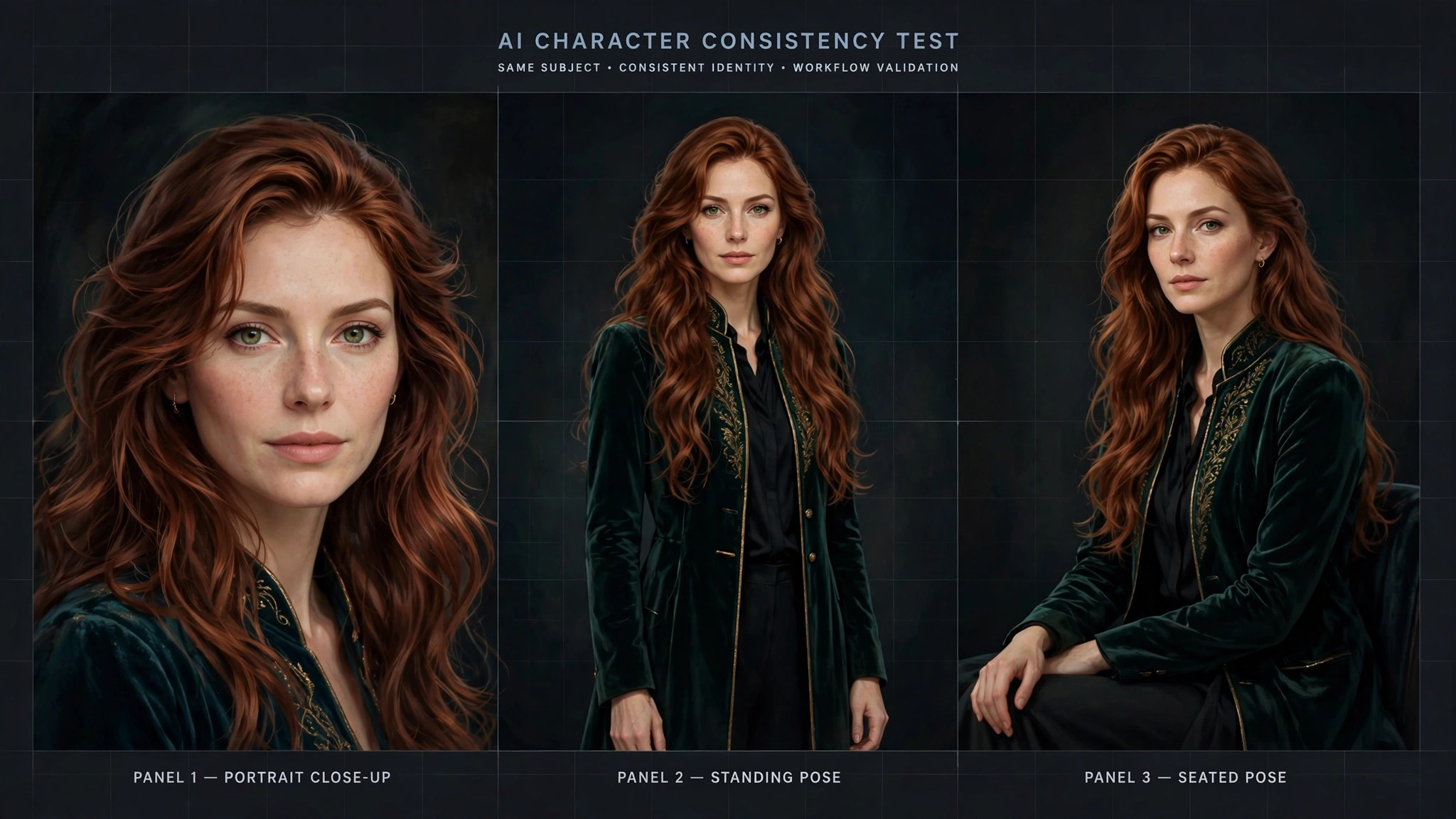
- Curate, don’t accumulate. Keep only the images where the character is recognizable. A series of 6 strong matches beats 20 loose resemblances.
Method Comparison: Which Tool for Which Job
| Method | What it preserves best | Strength | Weakness | Best for |
|---|---|---|---|---|
| Fixed seed | Composition, reproducibility | Free, exact | Breaks with any prompt/setting change | Variations on one scene |
| Prompt anchoring | Wardrobe, styling, general look | Free, flexible | Language is lossy; faces drift | Every image in the series (baseline) |
| Reference image | Facial identity | Strongest face match | Needs a good keeper; struggles with new angles | Multi-scene character series |
| Manual touch-up | Anything, precisely | Full control | Slow; requires editing skill | Final polish on hero images |
And a quick guide to when consistency effort is worth it:
| Project type | Consistency needed | Recommended approach |
|---|---|---|
| Single standalone images | None | Don’t bother — vary freely |
| Small series (3–6 images) | Moderate | Prompt anchor + fixed seed |
| Character series (10+ images) | High | Anchor + seed + reference image |
| Comic / sequential story | Very high | Full stack + manual touch-up on key frames |
When to Give Up and Start Over
The sunk-cost trap is real in character work. You’ve generated fifteen images of “Mara,” and she’s drifted — but you’ve invested, so you keep trying to steer her back. Here’s the honest math: rescuing a drifted character usually takes more generations than locking a fresh keeper, and the rescued version is rarely as good as a clean start.
Try to rescue when: the drift is small (same face, slightly different age or expression), you have a strong keeper reference to steer back toward, and the series is short.
Start over when: the face is unrecognizable as the same person, you’ve tried reference + anchor + seed for several rounds without convergence, or the “character” only exists in your head and never actually locked in the first place. That last one is the most common — be honest about whether you ever had a keeper, or just a vague idea of one.
Starting over isn’t failure; it’s the workflow. Professional character artists expect to cast several candidates before locking one. The skill isn’t never drifting — it’s recognizing drift early and re-casting fast instead of burning generations on rescue attempts.
Common Mistakes That Break Consistency
- Rewriting the anchor each time. Paraphrasing “long wavy auburn hair” as “flowing red-brown locks” resets the visual target. Freeze the wording.
- Changing the style mid-series. Switching from photorealistic to anime (or even changing the lighting mood drastically) reinterprets the face. Lock style keywords alongside the anchor.
- Overloading one prompt. Cramming anchor + elaborate scene + style + negative prompts into one generation dilutes the identity tokens. Keep the anchor prominent and the scene concise.
- Using a flawed keeper as reference. A reference with a subtle defect (asymmetric eyes, odd ear) stamps that defect onto every image in the series. Vet the keeper at high resolution first.
- Ignoring the seed. Generating every image on random seeds and hoping the anchor alone holds the face. The anchor is necessary but not sufficient — pair it with seed discipline.
- Chasing 100%. Rejecting good 90%-matches while hunting for a pixel-perfect duplicate burns time and credits. Viewers accept small variations; they notice only when the person changes.
Ready to practice? Open the SpicyLab AI porn generator, write your first anchor, and run a casting batch — the free trial means your first experiments cost nothing.
FAQ
Why does my AI character look different in every image?
Because generators start each image from random noise and your prompt describes a type of person, not a specific one. “Beautiful woman with brown hair” matches millions of faces. Fix it with the three-pillar stack: a fixed detailed prompt anchor, a locked seed, and a keeper portrait fed back as a reference image.
Do seeds really keep a character consistent?
Only partially. Reusing a seed with the identical prompt and settings reproduces the exact image, and small prompt tweaks on a fixed seed keep the composition similar. But change the scene description significantly, alter settings, or switch models, and the same seed produces a different-looking person. Seeds are for controlled variation, not identity locking.
What is prompt anchoring?
Writing one fixed, detailed character description — face shape, eyes, hair, distinguishing marks — and pasting it verbatim into every prompt in a series. Specificity and frozen wording are what make it work: describe geometry (“heart-shaped face, hazel eyes, mole below left eye”), not vibes (“captivating beauty”), and never rephrase it between images.
Are reference images better than prompts for consistency?
Yes, for faces. An image carries thousands of details no prompt can express, so feeding a keeper portrait back as a visual reference produces the strongest facial match available. Prompts remain better for wardrobe and styling, which are easy to describe in words. The best results come from combining both.
How consistent can AI characters realistically get?
Expect 80–90% similarity — clearly the same person to a viewer, with small variations a real photograph wouldn’t have. Pixel-perfect identity across arbitrary scenes isn’t achievable with current tools. Judge by recognizability, not identical pixels, and don’t burn generations chasing 100%.
When should I give up on a drifted character and start over?
When the face is unrecognizable as the same person, or when several rounds of reference + anchor + seed fixes haven’t converged. Rescuing a badly drifted character usually costs more generations than casting a fresh keeper — and the fresh keeper is typically better. Recognizing drift early and re-casting fast is the actual skill.