Vertical AI Porn: A 9:16 Guide to Clips That Fill a Phone Screen (2026)
November 26, 2026
🔞 18+ Only: This guide is about making vertical (9:16) AI video clips of fictional adult characters — the framing math, the composition rules and the safe zones that decide whether a clip fills a phone screen or drowns in it. Every example uses invented adult characters, generated and posted only where adult content is allowed.
Your audience is holding a phone, and the phone is a tall rectangle. A clip that fills it edge to edge gets the whole screen, the whole thumb-stop and the whole of someone’s attention; the same scene delivered as a landscape video sits in the middle of that screen as a small bright postage stamp, floating in black. Yet most AI video still gets made wide — because the generators default to it, because landscape feels “cinematic,” because nobody did the arithmetic on what cropping later actually costs. This guide does the arithmetic, then the craft: native 9:16 generation versus cropping after the fact, how to tell a true vertical render from a crop wearing a label, the composition rules of a tall frame, which generation routes accept a portrait frame at all, the platform safe zones that eat the edges of your picture, and the cases where 4:5 or square honestly beats 9:16.
One distinction to fix before anything else, because the site already has a guide on the other side of it. Our mobile generator roundup is about generating on a phone — apps and sites you can drive from the sofa. This article is about generating for the phone — the shape of the clip itself, whatever machine made it. And the workflow throughout runs through the route that gives you control of that shape: image-to-video, where the still you choose decides the frame the motion inherits.
⚡ The Short Version
- Cropping a landscape clip to 9:16 throws away about 68% of the picture. A 1920×1080 render cropped to vertical keeps a 608-pixel-wide slice — about a third of the frame and a third of the pixels — and then gets stretched back up to fill the phone. Native vertical keeps everything.
- Generate tall, don’t crop tall. Decide the destination first, compose the source still in portrait, and animate that. Cropping a still is free and art-directable; cropping a finished video is neither.
- Check the file, not the label. A true native 9:16 render comes back at vertical resolution (1080×1920 class). If your “vertical” export is roughly 608×1080 blown up soft, the tool cropped a landscape render behind the toggle.
- Tall frames have their own composition grammar: the figure can fill 75–85% of the height, headroom shrinks to a few percent, eyes sit on the upper-third line — and two characters stack in depth, not side by side.
- The platforms cover your edges. On a 1080×1920 canvas, published safe-zone guides agree the top ~200 px, the bottom several hundred and the right rail belong to the app’s interface. Faces and anything important live in the central column.
- 9:16 is not always the answer. Feed previews that show 4:5, profile grids that show a square centre, and scenes staged wide are all cases where 4:5 or 1:1 is the smarter master.
Contents
- Native 9:16 vs crop later: the arithmetic
- How to tell a true vertical render from a crop in a costume
- Composition rules for a tall frame
- The routes that take a portrait frame
- Safe zones: the frame inside the frame
- Choosing the canvas: 9:16, 4:5, 1:1 or 16:9
- The vertical workflow, end to end
- Bottom line
1. Native 9:16 vs crop later: the arithmetic
Start with the standard case. You generate a landscape clip at 1920×1080 — the default on most tools — and later decide it should be vertical. To fill a 9:16 frame from a 16:9 picture you take a centre slice whose width is the height times 9/16: from 1080 px of height, a slice 608 px wide. Of your 1920 px of width, 608 survive: about 32%. The other 68% — two-thirds of the scene you art-directed, paid for and waited on — is deleted. The surviving file is roughly 608×1080, about 0.66 megapixels, and the phone then stretches it across a 1080×1920 screen, enlarging every pixel about 1.8×. A native vertical render at 1080×1920 carries about 2.07 megapixels — more than three times the picture information, none of it invented by an upscaler.
The alternative “no-crop” fix is no better. Letterboxing the landscape clip into a vertical canvas — the whole width preserved, black or blurred bars above and below — means the actual video occupies 1080×608 of the 1080×1920 screen: about 32% of the display height, with your scene shrunk to a strip. Viewers read that format instantly as “reposted from somewhere else,” because it usually is.
Cropping from squarer sources hurts less, which is why the master-format choice in §6 matters. From a 4:5 frame (1080×1350), a 9:16 crop keeps a 759 px slice — about 70% of the width; usable in a pinch. From square (1080×1080), it keeps 608 px, about 56%. But from landscape, the honest summary is: crop-later is a rescue, not a workflow. If vertical is the destination, vertical has to be the starting shape — and because an image-to-video clip inherits its first frame, the cheapest place to make that decision is the still.
2. How to tell a true vertical render from a crop in a costume
Some tools offer a “9:16” toggle that is genuinely a render instruction — the model composes in the tall frame from the first step. Others accept your landscape render and crop it on export, charging you native prices for the §1 arithmetic. You do not need to take either claim on faith, because the file tells the truth. Check the output dimensions. A true vertical render comes back at a vertical resolution — 1080×1920, 720×1280, or in that family. A crop-and-upscale comes back at the same nominal size but visibly softer, or — the give-away — at a small native size like ~608×1080 that your player then stretches. The second tell is compositional: a native tall render uses its height (figures staged full-length, vertical space composed deliberately), while a cropped landscape clip has the cramped, centre-sliced feel of a picture with its sides amputated — subjects too big for the frame, elbows and scene edges cut mid-gesture. Run one short test clip on any new tool, read its real dimensions, and you know which kind of “vertical” you are buying before you spend on a long one.
3. Composition rules for a tall frame
A 9:16 frame is not a landscape frame rotated; it rewards different staging. Scale: a standing figure can occupy 75–85% of the frame’s height and still read as a full-body shot with context — the same figure in landscape is limited by width and ends up smaller on screen. Vertical is the natural home of the full-length portrait: head, gown and shoes in one composition, which is exactly the shot this format’s audience is scrolling for. Headroom: keep it small — roughly 5–8% of the height above the head (about 100–150 px on a 1920-tall canvas), against the generous skies landscape composition tolerates; dead space above a head in a tall frame reads as a mistake, not as air. Eyes: place them near the upper-third line, about a third of the way down — high enough to feel commanding, low enough to stay clear of the interface zone in §5.
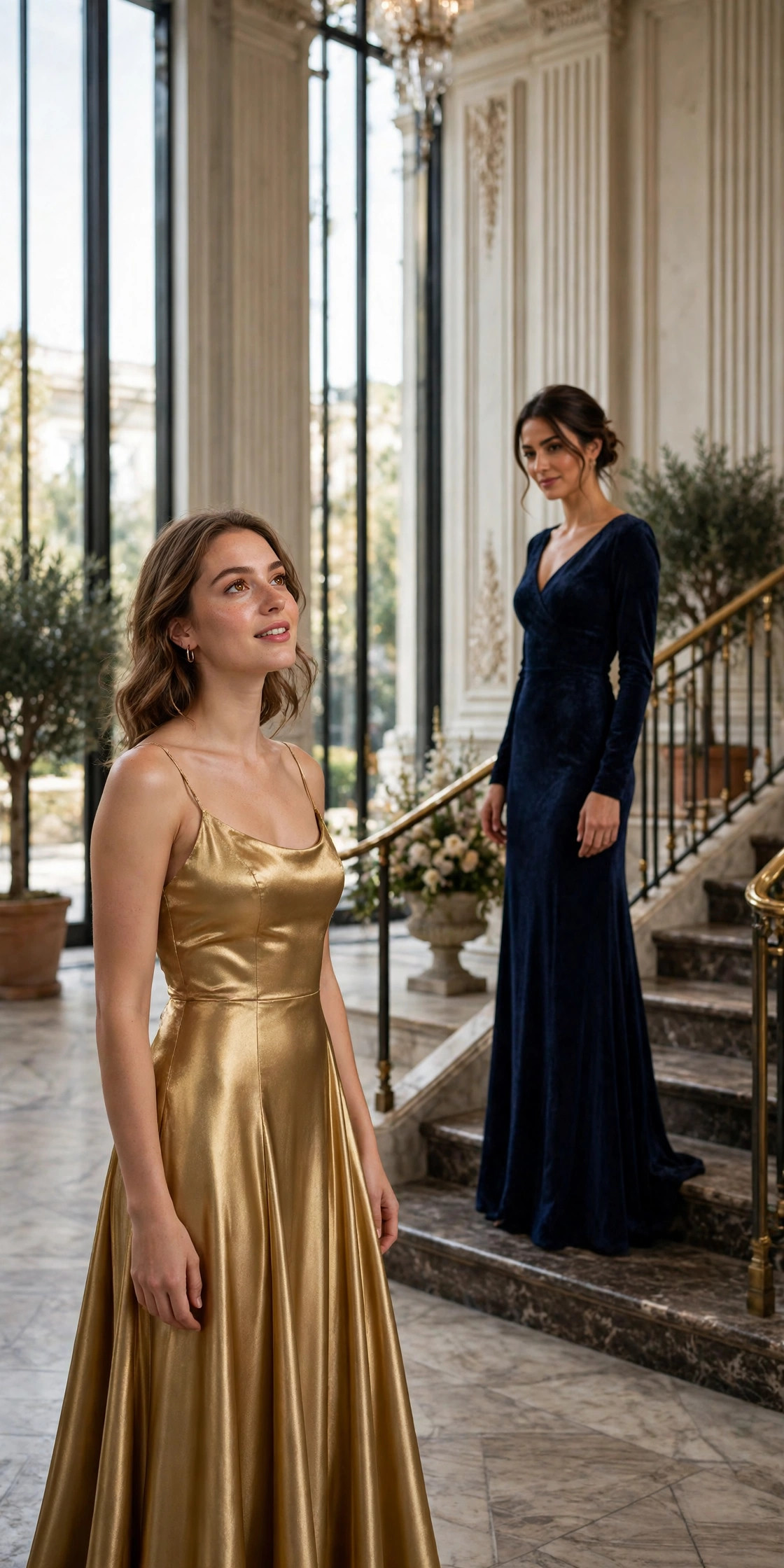
Movement: the tall frame loves motion along its long axis — a slow push-in, a rising tilt, a walk toward camera, fabric or hair falling through the frame. It punishes lateral movement: a tracking shot sideways crosses 1080 px of width and exits almost immediately, so either keep side-to-side motion slow and short, or restage it as approach-and-recede. Two figures: side-by-side staging, the default in landscape, halves an already narrow width and shrinks both people. Stack them in depth instead — one figure foreground, one behind on steps, a doorway, a staircase — or in height, one seated and one standing. The separation discipline from our two-characters guide applies unchanged; only the geometry rotates. And whatever moves, leave room in the direction of movement: a figure walking down-frame needs floor in front of her, not behind.
4. The routes that take a portrait frame
Three routes produce vertical clips, and they differ in where the tall decision gets made. Route one: text-to-video with a ratio selector. On current mainstream models the aspect ratio is an explicit setting that includes 9:16 — Kling’s models list 1:1, 16:9 and 9:16 among their output ratios, and current Runway and Veo generations likewise offer portrait output (all checked October 2026). These are the mechanism at its cleanest — and, as with the local tools in our pose guide, they are mainstream platforms whose filters refuse adult prompts, so for adult work they are a reference for how the setting behaves, not a venue.
Route two: image-to-video from a portrait still — the working route for adult creators. The clip inherits its frame from the start image: give the animator a tall still and the motion is rendered inside that tall composition. This is the route SpicyLab’s image-to-video tool is built on — you upload a still, direct one continuous motion and a camera move, and the video is billed per second with the exact cost shown before you generate. The honest limit, stated the way our tool page states it: source frames must stay “within the supported aspect ratio,” and the public page does not publish the ratio list — so compose your still tall, and confirm the current options inside the tool before you commit to a long render. What the route guarantees regardless of platform is the workflow advantage: the still is generated (and, if necessary, cropped) at the image stage, where a crop costs nothing and can be art-directed pixel by pixel — instead of at the video stage, where it costs two-thirds of a render you already paid for.
Route three: generate wide, crop in an editor. Sometimes the only model that does what you need is landscape-locked. Then crop with a reframe, not a guillotine: an editor’s moving crop window that follows the subject through the clip, so the surviving 32% is at least the right 32% in every second. Accept the resolution hit knowingly, keep these clips short, and treat the route as a bridge, not a pipeline. Whichever route a tool offers, three questions sort it in a minute: Is there a ratio selector, or does the output follow my input image? What resolution does a vertical export actually come back at? Does the tool crop my still to fit, or accept it as framed? The answers, plus the §2 dimension check, tell you everything the marketing page didn’t.
5. Safe zones: the frame inside the frame
A 9:16 canvas is 1080×1920, but you do not own all of it. Every vertical platform draws its interface on top of your video: tabs and search at the top, a rail of buttons down the right side, the caption, username and sound credit across the bottom. Anything you place under that furniture is hidden, half-hidden, or competing with white text on a moving background. The platforms do not publish one official set of numbers — TikTok distributes overlay templates for advertisers rather than a single margin — but current safe-zone guides, measured against the live apps (checked October 2026), cluster tightly enough to design against. On a 1080×1920 frame, for TikTok-style layouts: keep critical content clear of roughly the top 210 px (tabs and search), the bottom 420–480 px (caption block, username, sound line), and the right 140–160 px (the action rail) — leaving a working safe area around 870×1240 px in the upper-middle of the frame. Reels-style layouts reserve a similar top band (~220 px) and a somewhat smaller caption zone at full screen — but a Reel shown in the main feed is previewed cropped to 4:5, which slices roughly the top and bottom 285 px off the 9:16 master, and the profile grid shows only the centre 1:1. Shorts-style layouts add their own title and channel block at the bottom (~350 px and up in published guides).
Cross-post the same clip to all three and the strictest published union shrinks the guaranteed-visible area to roughly the central 830×1040 px. You do not need to compose the whole scene inside that box — backgrounds, atmosphere and the edges of a gown can and should bleed to the true frame edges, or the clip looks like it was shot through a letterbox. What belongs inside the safe zone is the information: the face, the eyes, any gesture the clip exists for, and any text or watermark you add. In practice that means composing the face in the upper-middle band, roughly between 12% and 55% of the frame height — below the tabs, above the captions — and never letting a push-in carry the face down into the bottom quarter or out through the right rail. Build the still with that band in mind and the animation inherits the safety.
6. Choosing the canvas: 9:16, 4:5, 1:1 or 16:9
| Canvas | Reference size | Where it wins | Watch out for |
|---|---|---|---|
| 9:16 vertical | 1080×1920 | Full-screen vertical feeds and stories formats; the only shape that fills a phone; full-length figures at maximum size | Edges are covered by platform UI (§5); side-by-side staging cramps; a crop from it to anything wider is impossible — you cannot un-crop |
| 4:5 portrait | 1080×1350 | Feed posts that preview at 4:5; the best compromise master — near-full presence in a feed, and a later crop to 9:16 still keeps ~70% of the width | Shown letterboxed in full-screen vertical players; less immersive than true 9:16 |
| 1:1 square | 1080×1080 | Profile grids and thumbnails (which crop to square anyway); gallery and embed contexts; teasers where the centre is the whole message | Smallest presence on a phone screen of the portrait family; crop to 9:16 keeps only ~56% of the width |
| 16:9 landscape | 1920×1080 | Desktop and TV viewing, wide cinematic staging, two figures side by side, scenes where the environment is a co-star | On a phone it displays as a strip (~32% of screen height) or crops to 9:16 at a ~68% loss — the wrong master for a mobile-first audience |
The pattern behind the table: choose the canvas by where the clip will actually be watched, not by what feels filmic. Full-screen vertical feed — 9:16, no debate. A post that most viewers meet as a feed preview, with full-screen as the secondary view — 4:5 is the grown-up compromise, and it is the one master that can still become a decent 9:16 later. Square is a thumbnail and gallery format that survives every grid crop by already being one. Landscape remains right for the big screen and for wide staging — and if a scene genuinely needs both worlds, shoot the master in the taller format and derive the wide version by cropping down in height only if the staging kept the action in a horizontal band; otherwise generate the scene twice, once per canvas. It is cheaper than it sounds, because the still-first workflow means the second version starts from a composition you already know works.
7. The vertical workflow, end to end
Step 1 — pick the destination before the picture. Full-screen feed, feed preview, grid, or an embedded player on a site like the ones in our posting-platforms guide — the destination picks the canvas (§6) and the safe zone (§5). Step 2 — generate the still tall. On the image generator, compose in portrait from the prompt up: full-length framing, figure placed with her face in the upper-middle band, headroom of a few percent, movement room in the direction she will travel. If a generator only offers you a wider ratio, compose with the vertical slice in mind and crop the still — cropping here is free, instant and art-directed. Step 3 — animate the winner. Take the chosen still to image-to-video, direct one continuous motion that suits a tall frame — push-in, rise, approach — and test it on the shortest length first; video is billed per second, so the test costs a fraction of the final. Step 4 — verify the file. Read the export’s real dimensions (§2): native 9:16 resolution, or a crop in a costume? Step 5 — preview inside the target app before posting: face clear of the caption block, nothing vital under the right rail. Step 6 — extend if it earns it. A vertical clip that works can be lengthened with the extend-and-stitch workflow from our longer-videos guide — every added segment inherits the same tall frame, so the composition rules above apply to each continuation’s first frame too.
8. Bottom line
Vertical is not a crop, a toggle or an export preset — it is a composition decision, and it has to be made where composition decisions are cheap: at the still. Generate the frame tall, with the figure scaled to the height, the face parked in the band the platforms leave uncovered, and movement staged along the long axis; animate that frame through image-to-video; verify the export’s real dimensions; and reserve cropping for rescues and for the deliberate compromises — 4:5 for feeds, square for grids — where it is the right tool rather than an accident. Do that, and your clips stop appearing on your audience’s phones as bright little rectangles floating in black, and start doing the one thing the format promises: filling the screen.
Frequently Asked Questions
What is 9:16 vertical video?
It is video whose width is nine units for every sixteen units of height — most commonly exported at 1080×1920 pixels — matching the shape of a phone held upright. Full-screen vertical feeds are built around it: a 9:16 clip fills the entire display with no bars and no cropping, which is why it is the default canvas for phone-first audiences.
Can I just crop a landscape AI video to vertical?
You can, but price it honestly. Cropping a 1920×1080 clip to 9:16 keeps a centre slice about 608 px wide — roughly 32% of the picture — and discards the other 68%, then stretches the remainder back up to fill the screen, so the result is visibly softer than a native render. As a rescue for a clip you cannot regenerate, use an editor’s reframing crop that follows the subject. As a routine workflow, generate tall instead.
Does image-to-video keep my portrait image’s aspect ratio?
On image-to-video routes the clip is built on your start frame, so a portrait still is the way to get a portrait clip — but confirm how your specific tool treats it: some follow the input image’s shape exactly, some crop the input to a ratio you select, and SpicyLab’s tool page phrases the requirement as keeping source frames “within the supported aspect ratio” without publishing the list. Compose the still tall, check the tool’s current options, and verify the export’s actual dimensions on a short test.
Does SpicyLab’s image-to-video tool support vertical clips?
The tool animates the still you upload — the frame you choose is the frame the motion inherits — and its upload guidance is to keep source frames within the supported aspect ratio; the public page does not enumerate which ratios those are, so the practical answer is: bring a portrait still, confirm the current options inside the tool, and run a short test first. Video there is billed per second with the exact cost shown before generating, which makes a short vertical test cheap to verify.
Where should the face go so platform buttons and captions don’t cover it?
In the upper-middle band of the frame. Published safe-zone guides for a 1080×1920 canvas (checked October 2026) put the app’s tabs over roughly the top 210 px, captions and username across the bottom 420–480 px, and the action buttons down the right 140–160 px. Composing the face between about 12% and 55% of the frame’s height, slightly left of centre, keeps it clear of all three on the major vertical platforms.
Is 9:16 always the best format for phone content?
No. It wins wherever the clip is watched full-screen, but feed posts are often previewed at 4:5 — a shape that also crops to 9:16 later while keeping about 70% of its width — and profile grids display a square centre crop, which a 1:1 master survives untouched. Wide staging with two figures side by side, or viewing on desktop and TV, still belongs in landscape. Match the canvas to where the clip will actually be seen.