Free AI Image Upscalers Compared: What “Free” Actually Gets Your AI Art in 2026
November 17, 2026
🔞 18+ Only: This comparison covers image tools used to finish adult AI artwork. All examples describe fictional adult characters. You must be of legal adult age in your jurisdiction to use any of these services.
Every upscaler on the internet calls itself free. Almost none of them mean the same thing by it. One tool’s “free” is a genuinely unlimited open-source app; another’s is ten credits and a watermark; a third’s is a trial that won’t let you keep the result. And nearly every comparison already written judges these tools on stock photos and screenshots — which tells you almost nothing about the question that matters here: what does the free tier do to an AI-generated face, or to anime line art? AI art is the hardest input an upscaler gets. The detail isn’t photographed, it’s synthesized — so a model that “enhances” aggressively will happily redraw your character’s face, invent skin texture that was never there, or eat the clean lines of an illustration.
So this roundup reads the fine print instead. For each tool we checked the official site and pricing page (all figures verified October 22, 2026) for the four things free tiers actually limit: maximum free upscale and output size, watermarks, sign-up walls, and per-day or per-month caps. Where we describe how a tool treats faces or line art, that’s the documented behavior of the model family it runs — vendor guidance and the upscaling literature — not invented benchmark scores. When a free tier changes, the table below is the part to re-check first.
⚡ The Short Version
- Only one tool here is unlimited-free: Upscayl. Open-source, runs on your own GPU, no account, no watermark, no caps. If you have a desktop and a graphics card, the search mostly ends here.
- The most generous browser free tier is ImgUpscaler — 50 free credits a month, no watermark. Bigjpg is next for artwork (20 free images a month, up to 4x).
- Let’s Enhance is the cautionary tale: its 10 free credits come with a watermark and an 8-megapixel output cap, straight from its own pricing page.
- Topaz Gigapixel has no free tier at all — a trial is not a tier, and trial exports are not yours to ship.
- For anime, waifu2x and Bigjpg’s artwork mode beat general upscalers — they were trained for line art instead of photographs.
- The hidden cost is your face. Generative upscalers redraw detail. On AI portraits, the “best” free tool is the one whose model invents the least.
Contents
- How we judged: the five ways “free” stops being free
- Upscayl — the genuinely free one
- Bigjpg — the artwork-friendly browser option
- ImgUpscaler — the biggest free monthly allowance
- Upscale.media — fine for one-offs, tiny for regulars
- waifu2x — the anime specialist
- Let’s Enhance — good models, watermarked free tier
- Topaz Gigapixel — the “free” that isn’t
- The full comparison table
- Which one for which image — and where SpicyLab fits
1. How We Judged: The Five Ways “Free” Stops Being Free
Free tiers fail in predictable places, so those are the columns we tracked. Watermarks are the obvious one. Output caps are the sneaky one: a tool can advertise 16x and still cap free output at 8 megapixels, which turns your 1024×1024 generation into a ceiling of roughly 2800×2800 no matter what the marketing says. Credit burn matters because “10 free credits” is a one-time taste, while “50 a month” is a workflow. Sign-up walls decide whether you can test a tool in ten seconds or after an email round-trip. And queue priority decides whether free means slower — sometimes minutes slower per image.
Then there’s the AI-art problem, which stock-photo reviews never hit. Upscalers come in two temperaments. Faithful models (the ESRGAN family) mostly sharpen and denoise what’s there. Generative models re-imagine detail at the new resolution — wonderful on landscapes, dangerous on a face you generated on purpose: eyes get redrawn, skin gains pores and stubble-like texture, small background faces melt. Let’s Enhance’s own documentation warns that running generative art through its Photo model creates “unwanted pseudo-pores” and tells AI artists to use its Digital Art model instead. That one sentence explains half the bad upscale results on the internet. For anime the trap is reversed: denoisers trained on photos treat line art as noise and soften exactly the lines you wanted kept.
2. Upscayl — The Genuinely Free One
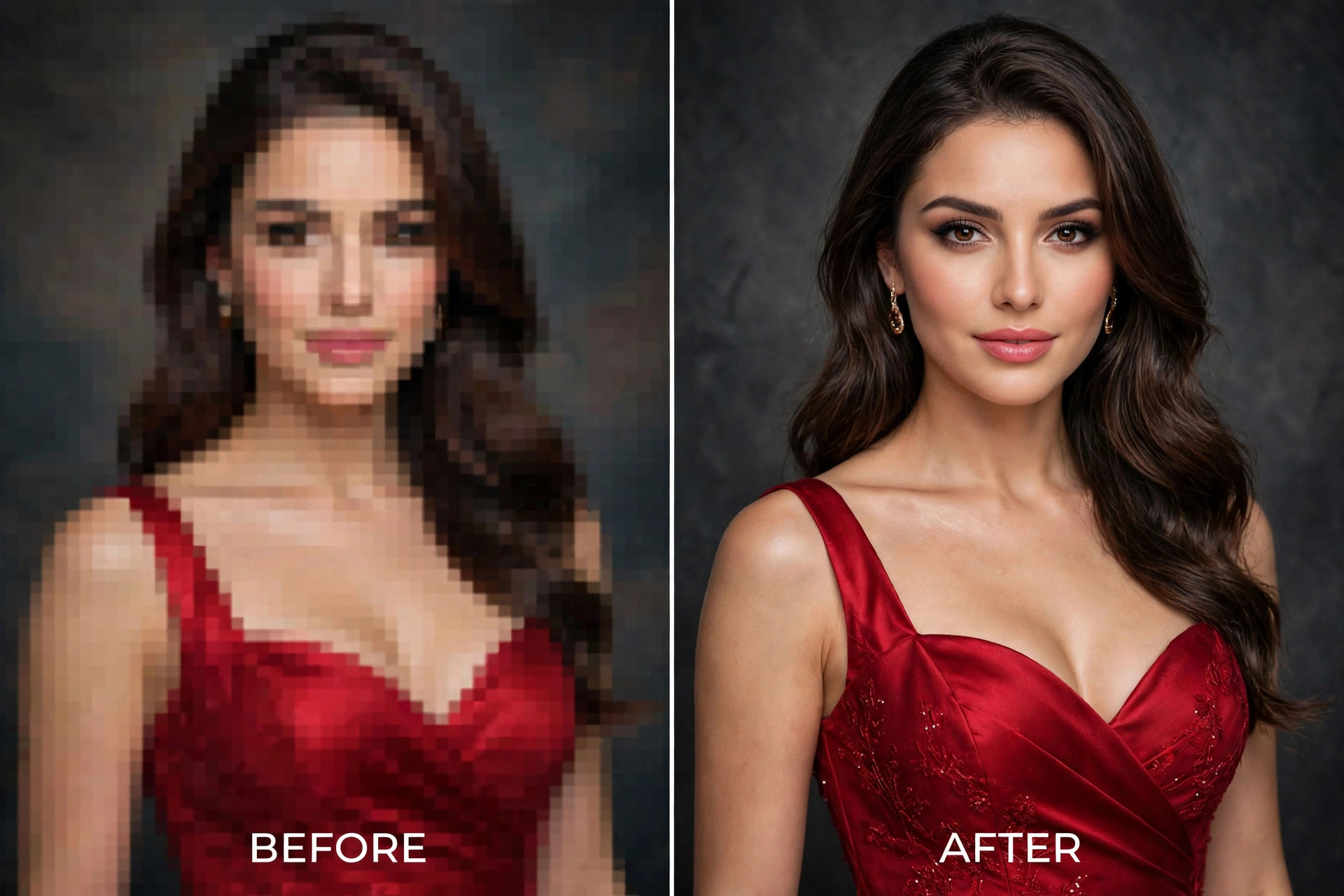
Upscayl is a free, open-source desktop app for Windows, macOS and Linux that wraps the Real-ESRGAN model family in a friendly interface — including a dedicated anime model alongside the photo and general-purpose ones. Because it runs locally on your GPU, there is nothing to meter: no account, no credits, no watermark, no per-day cap, batch processing included. Upscaling is 4x per pass, and passes can be chained to 8x or 16x.
The catches are hardware and temperament. It wants a Vulkan-capable GPU; on integrated graphics it’s slow enough to change your plans. And ESRGAN-family models are faithful, not magical: they sharpen AI portraits honestly but can over-smooth fine texture and struggle with very small faces in a frame — documented behavior for this model family, and the honest price of a tool that never redraws your character into someone else. For adult work there’s a second, underrated benefit: your images never leave your machine. No upload, no queue, no third-party server holding your art.
Free tier, exactly: unlimited everything; you bring the GPU.
3. Bigjpg — The Artwork-Friendly Browser Option
Bigjpg has been enlarging illustrations since before “AI upscaler” was a category, and it still shows in the design: separate modes for artwork and photos, and noise-reduction levels you set yourself. The free plan allows 20 images a month, up to 4x enlargement, with uploads capped at 5MB and 3000×3000 pixels — and no watermark on the results. Paid packages (from $6 for two months) raise the ceiling to 16x and 50MB and add batch mode and priority servers.
For AI art, that artwork mode is the point: it’s built to preserve lines and flat color, so anime and illustrated generations come out cleaner than from photo-trained tools, and it handles realistic images respectably through the photo mode. The free tier’s real cost is patience — free jobs run on the shared, slow queue, and processing occasionally fails under load and needs a retry. You can test it without an account, but keep the tab open; an account is what lets jobs finish in the background.
Free tier, exactly: 20 images/month, 4x max, 5MB / 3000×3000 input cap, no watermark, slow lane.
4. ImgUpscaler — The Biggest Free Monthly Allowance
ImgUpscaler is the rare browser tool whose free tier is a real allowance rather than a demo: 50 free credits a month on the current plan listing, one credit per image upscale, at 2x or 4x, with no watermark. That’s enough to finish a small set of generations every month without paying anything. Uploads and results are auto-deleted within 24 hours, which is the right default for personal work.
The restrictions are about shape, not count. Free processing is single-image only — batch work is a paid feature (Premium is $9.90/month for 500 credits) — and the same credits also feed the site’s other tools, so enhancement experiments eat your upscaling budget. Quality is competent general-purpose super-resolution: good on clean AI portraits, unremarkable on heavily compressed inputs. If your habit is “a dozen finished pieces a month, in the browser,” this is the free tier that fits it.
Free tier, exactly: 50 credits/month, 2x–4x, no watermark, single-image only, account required.
5. Upscale.media — Fine for One-Offs, Tiny for Regulars
Upscale.media (from the PixelBin team) is the fastest route from “I have one image” to “done”: guests can upscale one image a day without an account, and a free account raises that to 3 credits and 3 downloads a month. Enlargement runs 2x to 8x, with input size caps that grow when you sign in (at 8x, guests are limited to about 1250×1250 inputs, signed-in users to 2500×2500). Downloads carry no watermark.
Three a month is a tasting menu, not a tier — two test runs and your real image is the month gone. The paid side is reasonably priced (pay-as-you-go from $5.99 for 60 credits, credits valid a year), so treat the free allowance as an audition: run your hardest AI face through it, zoom in, and decide. As a permanent free workflow, the math fails by the second week.
Free tier, exactly: 1 guest image/day or 3 credits/month with an account, up to 8x with input caps, no watermark.
6. waifu2x — The Anime Specialist
waifu2x is the original anime upscaler — a convolutional network trained specifically on anime-style art, still running as a free web tool with no sign-up and no watermark. Its limits are written on the tin: 2x maximum, files up to 5MB, and the hosted tool caps upscaling inputs at 1500×1500 pixels (noise reduction works up to 3000×3000). For a 768×768 anime generation, 2x is a clean 1536×1536 — often all a piece actually needs.
Within its specialty it remains excellent: lines stay lines, flat color stays flat, and its noise reduction rescues compressed older art. Outside it, don’t: the same model softens photorealistic faces into a waxy finish, because nothing in its training told it what skin is. The open-source local versions (waifu2x-ncnn-vulkan) remove the size caps if you outgrow the web tool. Pick waifu2x when the image is drawn; pick anything else when it’s rendered to look real.

Free tier, exactly: unlimited 2x, 5MB / 1500×1500 caps on the hosted tool, no account, no watermark.
7. Let’s Enhance — Good Models, Watermarked Free Tier
Let’s Enhance is a legitimately capable cloud upscaler — six specialized models (including a Digital Art model that AI artists should use instead of the Photo one), up to 16x and very large outputs on paid plans, and credit rollover that respects irregular users. Its free tier is where the brochure and the bill part ways: 10 free credits, one time, on sign-up — and free outputs are watermarked and capped at 8 megapixels, per the company’s own pricing page. Input on the free plan is limited to 24 megapixels or 50MB.
A watermark makes the free tier an evaluation tool, full stop: you can judge the models (they’re good — the dedicated art model is exactly the right idea for generated imagery), but you cannot ship a single free result. Ten watermarked tests to decide on a $9/month Starter plan is a fair deal honestly labelled by the vendor; just don’t file it under “free upscaler” in your workflow. It isn’t one.
Free tier, exactly: 10 one-time credits, sign-up required, watermarked output, 8MP output cap.
8. Topaz Gigapixel — The “Free” That Isn’t
Gigapixel appears in “free upscaler” lists on the strength of its trial, so let’s be precise: Topaz offers no free tier. What exists is a time-limited trial of a paid desktop product (currently sold by subscription — listings in September 2026 put Gigapixel Personal at $19/month on an annual commitment, $29 month-to-month, or $149 a year), and Topaz has long watermarked trial exports, with full-resolution saving as the paid unlock. A trial is an audition, and there’s no shame in that — the shame is only in roundups that file it as free.
As a product, it’s the quality benchmark for faces: its Face Recovery model is the one professionals reach for when a portrait must survive enlargement, and its up-to-6x output is excellent on realistic AI portraits. If you upscale faces for money, the subscription can be worth it. But it belongs in a “best paid upscaler” article. In this one, it’s the control case that shows what “free” usually means.
Free tier, exactly: none. Trial only; treat outputs as previews, not deliverables.
9. The Full Comparison Table
| Tool | Free allowance | Max free upscale | Watermark on free | Sign-up wall | Best on AI art |
|---|---|---|---|---|---|
| Upscayl | Unlimited (local) | 4x per pass, 16x chained | No | None — desktop install, GPU needed | Faithful sharpening; private by design |
| Bigjpg | 20 images/month | 4x (input ≤5MB, ≤3000×3000) | No | Optional; account for background jobs | Artwork mode for anime & illustration |
| ImgUpscaler | 50 credits/month | 2x–4x | No | Account required | Steady all-rounder, single images |
| Upscale.media | 1/day guest; 3/month account | Up to 8x (input caps apply) | No | None for guests | One-off auditions |
| waifu2x (hosted) | Unlimited | 2x (input ≤5MB, ≤1500×1500) | No | None | Anime line art specialist |
| Let’s Enhance | 10 credits, one time | Output capped at 8MP | Yes | Account required | Strong art model — behind the watermark |
| Topaz Gigapixel | None — trial only | Up to 6x (paid) | Trial exports watermarked | Account + install | Best face recovery, if you pay |
| SpicyLab | No free tier (credit-based) | In the same tool suite as generation | No | Account required | Upscale where you generated, no re-upload |
10. Which One for Which Image — and Where SpicyLab Fits
Realistic AI portraits and faces: Upscayl first — faithful models, no upload, no cap. Reach for Gigapixel’s trial only to see what its face recovery does with your hardest image before deciding the subscription is worth it. Avoid photo-mode generative upscalers at high creativity settings; that’s where faces get redrawn.
Anime and illustration: waifu2x for a fast 2x, Bigjpg’s artwork mode when you need 4x or have a month of pieces to finish. Keep noise reduction low on clean generations — denoisers eat line art.
Volume: only Upscayl is truly free at volume. In the browser, ImgUpscaler’s 50 monthly credits are the ceiling of what “free” means in 2026; plan paid credits beyond that instead of hopping between trial accounts.
And SpicyLab? Our own AI image upscaler sits in the same suite as the generator, which is its whole argument: the image you just made is already there — no download, no re-upload to a stranger’s server, no watermark on the result, and generations are private by default with failed jobs refunded. It is not free, and we won’t pretend otherwise: SpicyLab dropped free tiers platform-wide in October 2026, and the upscaler runs on the same one-time credit packs as everything else here (from $19.99 for 1,000 credits — full details on the pricing page), with the credit cost shown in the tool before you run a job. Use the free tools above when they fit; use the built-in one when the round-trip isn’t worth more than the credits.
Bottom Line
“Free upscaler” spans everything from Upscayl’s genuinely unlimited open-source app to a watermarked ten-credit sample. Read every free tier as four numbers — how many images, how big, watermark or not, account or not — and judge the model on your own AI faces and line art, not on the vendor’s stock-photo demo. Do that, and the right tool picks itself: local and faithful for most portraits, a line-art specialist for anime, and a paid tier the moment your monthly volume outgrows the free allowances — which, by design, it quickly will.
Frequently Asked Questions
What is the best completely free AI image upscaler?
Upscayl. It’s open-source, runs locally, and has no account, watermark or usage cap — every other tool in this comparison limits its free tier by credits, output size, or a watermark. Its only real requirement is a GPU in your own machine.
Do free AI upscalers add watermarks?
Most don’t: Upscayl, Bigjpg, ImgUpscaler, Upscale.media and waifu2x all return clean files on their free tiers. The notable exception is Let’s Enhance, whose pricing page states free outputs are watermarked — and Topaz Gigapixel’s trial exports are watermarked too, because there is no free tier, only a trial.
Why did my AI character’s face change after upscaling?
Generative upscalers don’t just enlarge — they re-imagine detail at the new resolution, and faces are where that invention shows first: redrawn eyes, invented skin texture, softened features. Use a faithful (ESRGAN-family) model or a vendor’s dedicated art mode, keep creativity/enhancement strength low on portraits, and never judge an upscaler by its landscape demos.
What is the best free upscaler for anime images?
waifu2x for quick work — it’s trained on anime art, free without an account, and its 2x is enough for most generations — and Bigjpg’s artwork mode when you need 4x or a monthly batch (20 free images). Avoid heavy noise reduction on clean line art; denoisers treat lines as noise.
How large can free upscalers actually go?
Less than the headlines suggest. Let’s Enhance caps free output at 8 megapixels; the hosted waifu2x caps inputs at 1500×1500; Bigjpg’s free tier caps inputs at 3000×3000 and 4x. Upscayl is the exception: because it runs on your hardware, its ceiling is your GPU, chaining passes to 16x.
Is SpicyLab’s image upscaler free?
No. SpicyLab removed free tiers platform-wide in October 2026; the upscaler runs on the same one-time credit packs as the generators, with the credit cost shown before you run a job. Results carry no watermark, generations are private by default, and failed jobs are refunded automatically.