Camera Language for AI Video Prompts: Shots, Angles & Moves That Actually Work (2026)
November 19, 2026
🔞 18+ Only: This guide teaches camera direction for AI-generated adult video, with worked examples describing fictional adult performers. Only ever animate your own generated characters or material you have the rights — and, where real people are concerned, the explicit consent — to use.
Most AI porn clips look cheap for a reason nobody talks about: the camera. Prompts describe the woman, the room and the act in loving detail, then leave the camera to chance — so the model defaults to a slow, aimless drift that makes even a good generation feel like a screensaver. Real cinematographers never leave it to chance: they have a compact language of shot sizes, angles, moves and speeds, each with a predictable effect on the viewer.
This guide translates that language into prompt craft. The vocabulary is the same one the SFW cheat sheets teach — what they never give you is worked examples in adult scenes, where framing decides whether a clip feels intimate, cinematic or broken. For whole-prompt structure — subject, action, scene, style — start with our AI video prompts guide; this article goes one level deeper, into the single component that guide treats briefly: the camera. Everything here is written for the prompt box of a text-to-video or image-to-video generator, and every example uses frame coordinates — frame left, frame right, foreground, background — never body-left or body-right, because frame coordinates are what a model can actually ground.
⚡ The Short Version
- Every clip needs one camera sentence: shot size + one move + one speed. “Medium close-up, slow push-in, she turns her head toward camera” outperforms three paragraphs of scene description.
- One move per clip. Stacked moves (“orbit while zooming and tilting up”) average out into drift or warp. Sequence moves across clips instead.
- Frame coordinates only. “She crosses from frame right to frame left” is executable; “she moves to her left” flips meaning the moment the angle changes.
- Speed is half the instruction. The same push-in is romantic at “slow” and broken at default pace. Give every move a speed word and, on longer clips, a duration anchor.
- In image-to-video, the still is the first frame. Your image already decided the shot size and angle — the prompt only gets to decide the move, and it must not fight the frame.
Contents
- The camera sentence: shot, move, speed
- Shot sizes: how much of her fills the frame
- Angles: where the camera stands
- The move vocabulary: copy-paste fragments
- One move per clip: the rule that fixes most failures
- Speed words and duration anchors
- Text-to-video vs image-to-video: the camera behaves differently
- The failure clinic: six broken shots and their fixes
1. The Camera Sentence: Shot, Move, Speed
A camera sentence has four slots, in this order: shot size, subject action in frame coordinates, one camera move, and a speed or duration word. Put it near the front of the prompt — models weight early clauses more heavily, and a camera instruction buried after two sentences of wardrobe description competes with all of it.
Compare two versions of the same scene. Weak: “A beautiful woman in a red dress in a hotel room, seductive mood, cinematic, high quality.” There is no camera in that prompt, so the model invents one — usually a gentle, pointless sway. Directed: “Medium shot. She stands in the foreground of a hotel room in a red evening gown, turning slowly to face the camera. The camera pushes in slowly throughout the clip, ending on a medium close-up.” Same scene, but framing, move and endpoint are all specified — and notice the endpoint: naming where a move stops is one of the most reliable tricks in this guide, because it turns an open-ended drift into a journey with a destination.
The frame-coordinate habit matters more than any single move. Write “she enters from frame left,” “he is seated in the background, out of focus,” “the camera drifts toward frame right.” Avoid “her left hand,” “to his right” — from the opposite angle, body-relative directions reverse while frame directions stay true, and models are trained on far more frame-consistent footage than body-consistent annotation. It is the same discipline we apply to still-image composition across SpicyLab’s template work: camera coordinates, always.
2. Shot Sizes: How Much of Her Fills the Frame
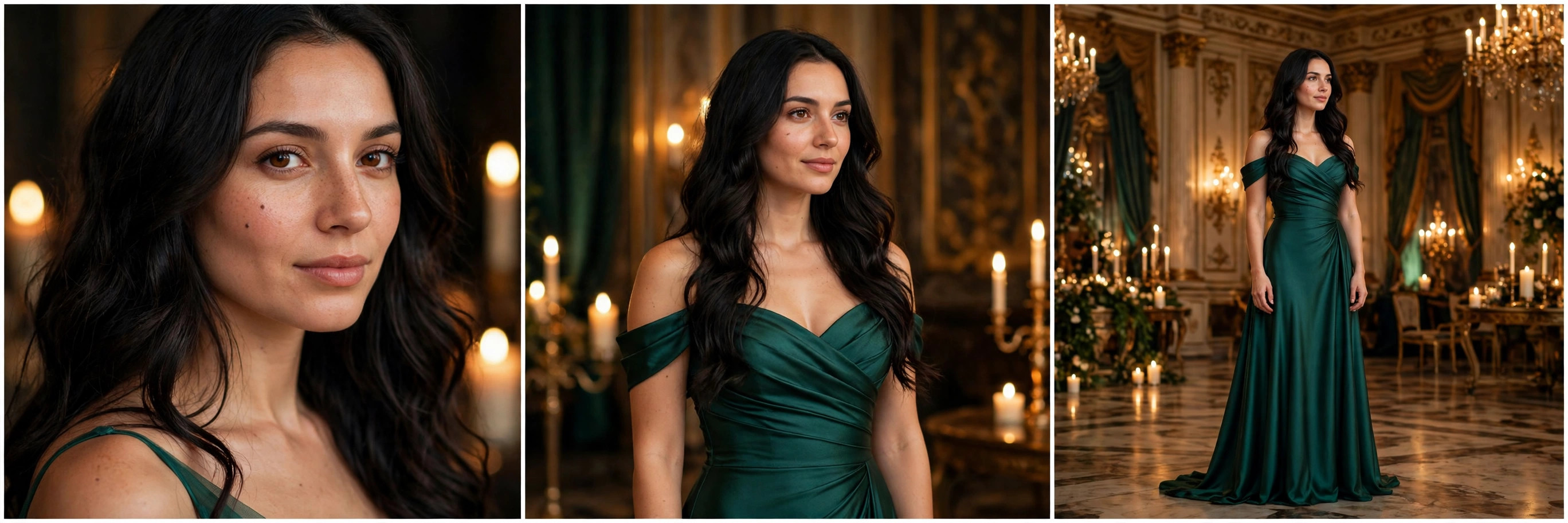
Shot size is the first decision in any clip, and in adult work it carries the scene’s entire emotional register. The ladder, tight to wide:
- Extreme close-up (ECU) — eyes, lips, a hand against skin. Maximum intensity, maximum risk: every anatomical wobble shows at this magnification. Reserve for short, near-still clips.
- Close-up (CU) — face and shoulders. The reaction shot — expressions, eye contact — and the workhorse of intimate solo scenes.
- Medium close-up (MCU) — chest up. The conversational size: face plus body language, and the natural endpoint of a slow push-in.
- Medium shot (MS) — waist up. The default two-person size: both faces readable, hands in frame. When in doubt, this is the shot.
- Medium full / full shot (FS) — head to heels. Choreography, entrances, striptease pacing — anywhere the whole body is the subject. Anatomy errors have nowhere to hide at this size, so keep the subject’s motion simple.
- Wide / establishing shot — the room dominates, figures are small. Use it to open a sequence and place the geography (bed in the background, door at frame left), then cut tighter; held too long it reads as surveillance footage.
One format caveat: in vertical 9:16, every size crops one step tighter — a “medium shot” in portrait fits far less body than in 16:9, and two-person shots cramp fast. If a vertical clip keeps amputating hands or hair, don’t fight it with move words; re-specify the size (“medium shot, framed from the thighs up, both faces fully in frame”) so the model gets a composition it can hold.
3. Angles: Where the Camera Stands
Angle is the camera’s position relative to the subject — a meaning choice before a technical one. Eye-level is the neutral, intimate default: the viewer meets her as an equal, and it is the safest angle for face consistency. A slight low angle (“camera at hip height, looking slightly up”) lengthens the body and adds presence; pushed too far it distorts faces. A high angle (“camera above, looking down at her”) does the opposite — vulnerability, looking up through the lashes — and neighbours POV framing.
Two adult-work staples deserve warning labels. Over-the-shoulder — one partner’s shoulder soft in the foreground, the other facing camera — is the strongest “you are in the scene” framing short of POV, and models handle it well because film is full of it. POV (“POV shot, looking down, her face in the lower centre of the frame”) maximises immersion and failure together: hands entering from the frame’s bottom corners are the hardest thing for current models to keep anatomical, so keep POV clips short, the camera locked, and let the subject do the moving.
For two-person scenes, the professional’s friend is the profile (side) angle: both performers side-on, faces in profile, bodies separated along the frame’s horizontal axis. It keeps both identities readable, avoids the body-merge failures of front-on two-shots, and gives interaction a clean silhouette. Treat the Dutch tilt (“canted angle, frame tilted”) as a spice — a few degrees reads as unease; more reads as a mistake.
4. The Move Vocabulary: Copy-Paste Fragments
Moves are the verbs the model simulates; the fragments below paste as-is into a camera sentence — swap the speed word to taste. Several engines also expose moves as controls rather than text: Kling’s professional image-to-video mode has long documented six basic camera moves (horizontal, vertical, zoom, pan, tilt, roll) plus preset “master shots,” and Runway pairs prompt direction with camera-control sliders and a Director Mode. The wording below works in the plain prompt box of text-driven models, including the Wan-class models behind most adult generators.
| Move | Copy-paste fragment | What it does / where it fails |
|---|---|---|
| Locked-off (static) | “locked-off tripod shot, camera completely still” | The most underrated move. All motion comes from the subject; faces stay stable. The default for intimate close-ups. |
| Slow push-in (dolly in) | “the camera pushes in slowly, ending on a medium close-up” | Physical move toward the subject — perspective shifts, intimacy builds. Fails when too fast or too far: faces balloon and melt. Always name the endpoint. |
| Pull-back (dolly out) | “the camera pulls back slowly, revealing the whole room” | The reveal: starts tight, ends wide. Needs the wider scene to exist in the prompt, or the model invents geography. |
| Pan | “the camera pans slowly from frame left to frame right, following her” | Rotation from a fixed position, like turning your head. Clean for following a crossing subject; fast pans smear detail. |
| Tracking shot | “tracking shot, the camera glides alongside her as she walks” | The camera travels with the subject, holding her size while the background streams past. The entrance shot. Keep her pace slow. |
| Tilt up / tilt down | “the camera tilts up slowly from her hands to her face” | Vertical rotation — the classic reveal along a body. Slow is everything; fast tilts read as a head-nod. |
| Orbit / arc | “the camera arcs slowly around her, a quarter circle” | Glamorous for a solo performer. Failure modes: full 360° orbits break identity, and orbiting a two-person scene merges bodies. Quarter arcs, solo subjects. |
| Crane up / down | “the camera cranes up slowly, rising above the bed” | Rising or descending move with a widening feel — scene-openers. Expensive-looking; keep for a sequence’s first clip. |
| Zoom in (lens) | “the lens zooms in slowly; the camera itself stays fixed” | Focal-length change, not a move: perspective stays flat, the frame simply tightens. Reads “video call” more than “cinema” — often confused with a push-in (see the failure clinic). |
| Handheld | “subtle handheld camera, gentle natural micro-movement” | A texture, not a trajectory: adds documentary realism. Ask for “subtle” — unqualified handheld turns seasick by second three. |
| Whip pan | “a fast whip pan to frame right” | A deliberate blur-transition between subjects. High failure rate as a held shot; end a clip with it and cut on the blur. (Its famous cousin, the dolly zoom — pull back while zooming in — is a combination move: solo, short clips only, and expect retries.) |
5. One Move Per Clip: The Rule That Fixes Most Failures
If you take one discipline from this guide, take this one: a clip gets exactly one primary camera move. Ask for “orbit around her while zooming in and tilting up” and the model must simulate three competing camera paths at once; what comes back is the average of the three — drift, warp, or a move that dissolves halfway. Multi-axis moves are the first thing professional prompting guides warn against on every major engine, and the top cause of “the model ignored my camera” complaints. It didn’t ignore you; it averaged you.
Two legal exceptions, both about what doesn’t count as a second move. A stabiliser or texture — “slow push-in, subtle handheld micro-movement” — modifies how the one move feels rather than adding a path. And a hold is not a move: “push in for the first half, then holds on the close-up” is one move plus a stop, which models execute well because the destination was the point all along.
When a scene genuinely needs two moves — a crane-up reveal, then a push-in — the answer is not a braver prompt but a second clip: generate the moves as separate shots and join them (extend, last-frame chaining and stitching are covered by the longer-video tutorial in this series). One clip, one sentence, one move.
6. Speed Words and Duration Anchors
A move without a speed is an unfinished instruction — the model picks a pace, and its default is usually faster than the mood you wanted. The useful ladder, slowest to fastest: imperceptible / barely moving (a creep so slow the frame seems to breathe), slow / gentle (the adult-work default — intimacy is slow), steady / smooth (neutral documentary pace), brisk (energy, entrances), and fast / whip (transitions only). Pair the speed word with a duration anchor on anything longer than a few seconds — “throughout the clip,” “for the first half, then settles” — because without one, models tend to complete the move early and park the camera.
Easing words refine the ends of a move: “eases in gently,” “settles into the close-up,” “comes to a soft stop.” And keep the conservation rule in view: camera speed and subject speed share one budget. A fast subject with a fast camera is mush — if she is dancing, lock the camera or track at her pace; if the camera travels, slow her down. Most “AI-looking” clips are two fast things fighting.
7. Text-to-Video vs Image-to-Video: The Camera Behaves Differently
The same camera sentence does different work in the two modes. In text-to-video, the model builds scene and camera together: shot size and angle must be stated or the opening framing is a lottery — but once stated, moves are comparatively free, because nothing contradicts them. On SpicyLab’s text-to-video generator and tools like it, the full camera sentence from §1 is your main directing instrument.
In image-to-video — including SpicyLab’s image-to-video tool — the still you upload is the first frame: shot size and angle are baked in by your image, and no prompt wording renegotiates them. Your camera sentence shrinks to the move alone, and the governing problem becomes conflict. The classic collisions: she walks toward the camera while it also pushes in (a collision course — the face balloons and melts); the subject turns while the camera orbits the same way (double rotation — identity drifts); a still composed as a static portrait is ordered into a crane shot (the model must invent everything above the frame, and does it badly). The fixes follow from the diagnosis: choose stills composed for the move you intend — headroom for a tilt-up, space at frame left for a pan — and when in doubt give an image-to-video clip the smallest move that serves the scene, or none.
8. The Failure Clinic: Six Broken Shots and Their Fixes
The camera ignores the move entirely. Cause: the move was buried late in the prompt, or the subject’s action contradicted it. Fix: promote the camera sentence to the front, keep one move, remove any subject motion that fights it.
Her face melts during the push-in. Cause: the push travels too far, too fast, for the clip’s length — the model runs out of reliable face detail as it enlarges. Fix: slow the speed word, shorten the travel, name a nearer endpoint (“ending on a medium close-up,” not a close-up).
The zoom feels wrong — flat where you wanted cinema. Cause: you asked for a lens zoom when you wanted a dolly move; a zoom tightens the frame without changing perspective, while a push-in moves through space and the background breathes. Fix: write the physical version (“the camera pushes in”) and add “background perspective shifts” if the model keeps substituting a zoom.
Two bodies merge during an orbit. Cause: orbiting a two-person scene forces the model to re-derive both bodies from continuously new angles — the hardest continuity problem there is. Fix: don’t orbit couples. Lock the camera, use a profile angle, or track gently along the scene’s axis.
The move happens, then the clip freezes for its second half. Cause: no duration anchor, so the model finished the move early. Fix: add “throughout the clip” or an explicit split (“moves for the first half, then holds”), and step the speed down one rung.
Everything drifts when you wanted stillness. Cause: silence about the camera reads as permission to drift. Fix: say the negative explicitly — “locked-off tripod shot, no camera movement, no zoom, no pan” — and let the subject provide all the motion. On engines with a static-camera toggle or camera sliders, zero them too; text and controls should agree.
The Bottom Line
Direct the camera the way cinematographers do: name the shot size, choose where the camera stands, give it exactly one move, and give that move a speed and an endpoint — all in frame coordinates, in one sentence, near the front of the prompt. Do that, and the generator that produced drifting screensavers starts producing directed clips. On SpicyLab’s text-to-video and image-to-video tools the price of every generation is shown before it runs, results are private by default, and a failed job refunds its credits automatically — so iterating on a shot until the camera behaves costs you credits only when it works.
Frequently Asked Questions
What camera movement words do AI video generators actually understand?
The standard cinematography verbs: push in / dolly in, pull back, pan, tilt, tracking, orbit or arc, crane, zoom, and locked-off or static. These are the terms models were trained on from film footage, and the terms major engines document — Kling’s professional mode, for instance, lists horizontal, vertical, zoom, pan, tilt and roll as its basic camera moves. Invented terms (“corkscrew swoop cam”) get interpreted loosely or ignored; if a move has a film-set name, use it.
Why does my clip ignore the camera move I asked for?
Usually one of three reasons: the instruction was buried late in a long prompt; you stacked two or more moves and the model averaged them into drift; or the subject’s action contradicted the move — a push-in against a subject walking at the camera, for example. Promote one move into a camera sentence at the front of the prompt and remove the contradiction.
Can I combine two camera moves in one prompt?
One primary move per clip is the reliable rule. The combinations that survive are a move plus a texture (“slow push-in, subtle handheld”) and a move plus a hold (“pushes in for the first half, then settles”). True combinations like the dolly zoom are advanced, short-clip attempts with a real retry rate. For anything more complex, generate the moves as separate clips and join them.
Is camera control better in text-to-video or image-to-video?
Different, not better. Text-to-video lets you specify shot size and angle but chooses the actual opening frame itself. Image-to-video fixes your exact first frame — composition, angle and shot size are baked into the still — which makes framing precise but leaves the move as your only camera lever, and makes conflicts between move and subject motion the main failure mode.
How do I keep the camera still for an intimate close-up?
Say so explicitly and negatively: “locked-off tripod shot, camera completely still, no zoom, no pan.” Leaving the camera unspecified invites the model’s default drift. If your tool exposes camera controls or a static-camera option, set those to zero as well, keep the subject’s motion slow, and keep the clip short — stillness holds best over a few seconds.
What is the difference between a zoom and a dolly move in AI video?
A zoom changes the lens’s focal length from a fixed position: the frame tightens but perspective stays flat, like enlarging the centre of the image. A dolly (push-in) moves the camera itself through space: perspective shifts, the background moves relative to the subject, and the shot feels cinematic rather than digital. When a generation feels flat, the model has usually substituted a zoom for the dolly you wanted — specify “the camera pushes in” plus “background perspective shifts.”