How to Write a Better AI Image Prompt
September 21, 2026
Everyone using an AI image generator in 2026 has access to roughly the same models. So why do some people get stunning, exactly-what-they-imagined results while others get weird hands and mushy backgrounds? The difference is almost never the tool. It’s the prompt. That said, the tool still matters — see our comparison of the best AI porn generators in 2026.
Writing a good AI image prompt is a learnable skill, not a talent. This guide breaks down the anatomy of prompts that work, gives you copy-paste formulas, and flags the mistakes that silently ruin most beginners’ results. By the end, you’ll be able to describe an image so clearly that the model has almost no room to misunderstand you.
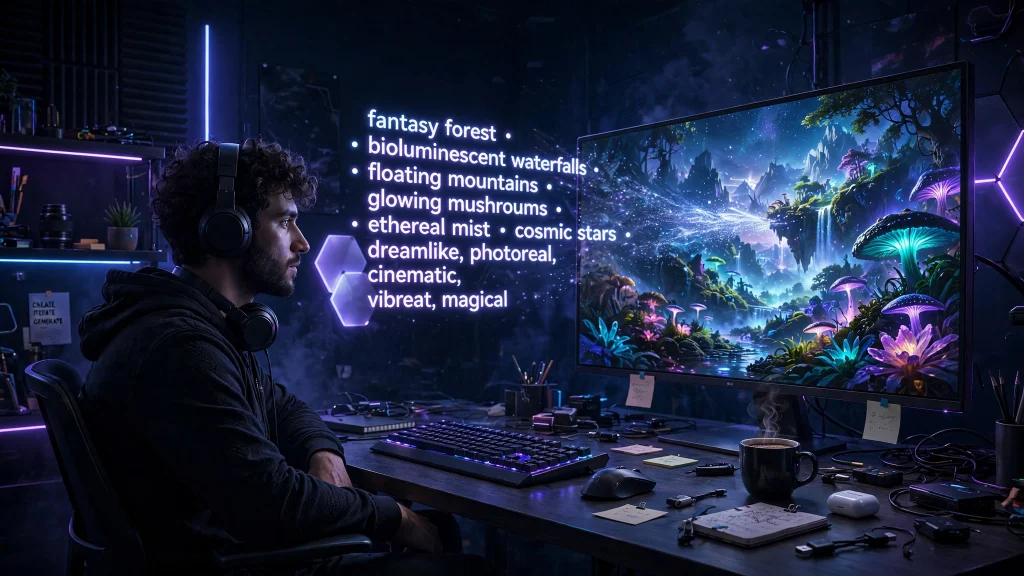
What Separates a Good Prompt From a Bad One
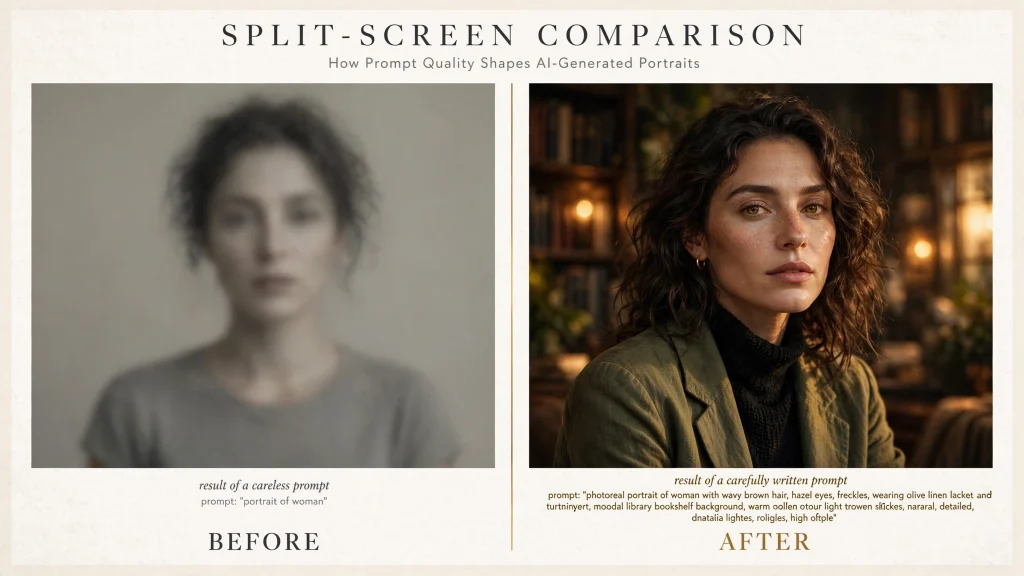
Compare these two prompts:
- Bad: “beautiful woman, sexy, high quality”
- Good: “editorial portrait of a fictional woman in her late 20s, confident subtle smile, freckles, windswept auburn hair, soft window light, shallow depth of field, shot on 85mm lens, photorealistic, high detail”
The first prompt is vague. “Beautiful” means a thousand different things, so the model picks at random. The second prompt answers the questions the model is silently asking: who is in the frame, what are they doing, where are they, how is it lit, and what should it look like?
Two principles cover 80% of prompt quality:
- Specificity beats length. Ten precise words outperform fifty flowery ones. “Soft window light from the left” tells the model more than “beautiful amazing lighting wow”.
- Structure beats adjectives. A prompt organized as subject → action → environment → lighting → style is easier for the model to parse than a soup of adjectives.
The 7 Building Blocks of a Great AI Image Prompt
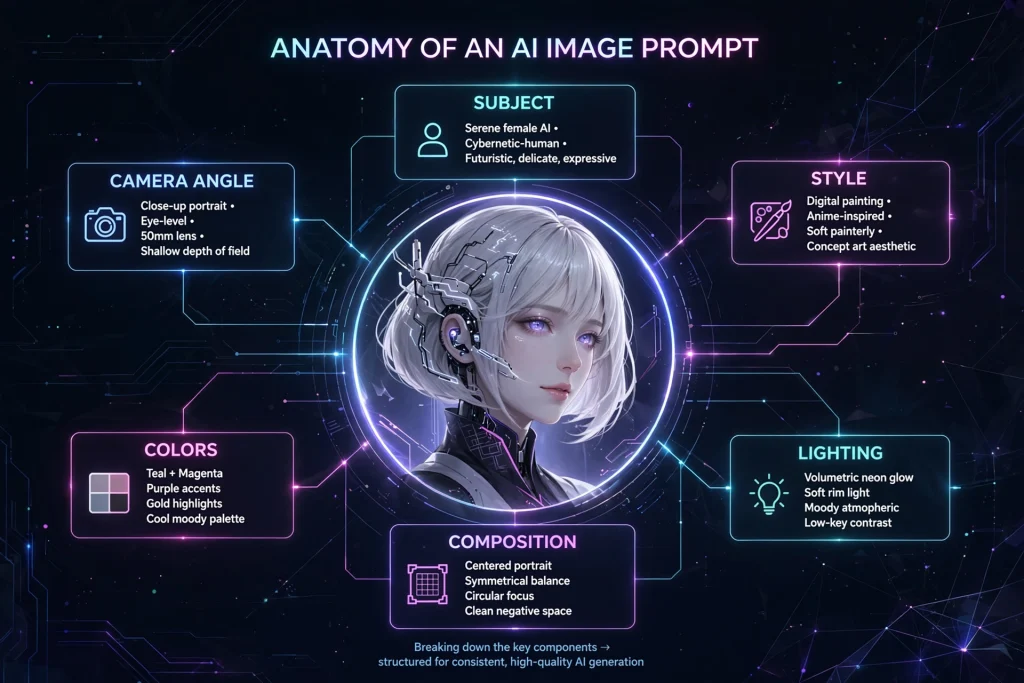
Think of every prompt as assembling seven blocks. You don’t always need all seven, but checking each one before you hit generate will fix most disappointing results.
1. Subject
Start with who or what is in the image, stated concretely. “A woman” is weak; “a fictional woman in her early 30s, athletic build” gives the model something to hold onto. If your subject must read as an adult, say so plainly (“adult woman”, “in her late 20s”) — models respond to explicit age cues far better than implications.
2. Appearance and Details
Add the distinguishing features: hair color and style, clothing, accessories, distinctive marks. Two or three concrete details (“windswept auburn hair, freckles, oversized knit sweater”) create identity; ten details create noise. Pick the ones that matter most for your image.
3. Action and Pose
A subject doing something always looks more alive than a subject just existing. “Leaning against a brick wall, arms crossed, looking over her shoulder at the camera” produces a dramatically better image than “standing”. Verbs are the cheapest upgrade in prompting.
4. Environment and Background
Never leave the background to chance, or you’ll get the model’s default gray void. Name the setting (“rooftop bar at dusk”, “misty pine forest”, “minimalist studio backdrop”) and, if it matters, the mood of the place.
5. Lighting
Lighting is the single highest-leverage block. “Golden hour sunlight”, “neon signs reflecting on wet pavement”, “soft diffused window light” — each of these completely transforms the same subject. If your images look flat, the problem is almost always missing lighting direction.
6. Art Style and Medium
Tell the model what the image is: photorealistic, cinematic film still, anime illustration, oil painting, 3D render. Without this, the model guesses — and its guess may not match yours. Pair the style with a quality anchor like “highly detailed” or “sharp focus”.
7. Composition and Camera
End with framing: “close-up portrait”, “full-body shot”, “wide establishing shot”, plus lens hints like “85mm, shallow depth of field” for photography styles. This controls what the viewer notices first.
3 Copy-Paste Prompt Formulas
Here are three field-tested formulas. Copy them, swap the bracketed parts, and generate.
Formula A: Editorial Portrait
Editorial portrait of [a fictional adult woman in her late 20s], [confident subtle smile], [windswept dark hair], wearing [an oversized charcoal blazer], [soft window light from the left], [neutral gray studio background], photorealistic, 85mm lens, shallow depth of field, sharp focus
Why it works: every block is filled, lighting is directional, and the camera spec locks in a photographic look.
Formula B: Fantasy Concept
[A fictional sorceress adult woman] standing on [a cliff edge above a glowing canyon at night], [long silver hair flowing in the wind], [bioluminescent tattoos on her arms], [dramatic rim lighting], [floating embers in the air], epic fantasy digital painting, highly detailed, cinematic composition
Why it works: the environment does half the storytelling, and “epic fantasy digital painting” sets a coherent style so the magic elements don’t clash with realism.
Formula C: Cinematic Scene
Cinematic film still, [a fictional adult couple dancing] in [an empty art-deco ballroom], [dust particles in projector-like light beams], [warm tungsten practicals], [35mm film grain], anamorphic widescreen composition, moody atmosphere
Why it works: “cinematic film still” plus film-specific vocabulary (anamorphic, film grain, practicals) pushes the model toward a movie frame rather than a stock photo.
Negative Prompts: Telling the AI What NOT to Draw
Most generators — including SpicyLab’s image generator — support negative prompts: things you want excluded. A solid starter negative prompt:
blurry, low quality, distorted, deformed hands, extra fingers, watermark, text, logo, oversaturated
Use negatives surgically. If hands keep coming out wrong, add “deformed hands, extra fingers” rather than a twenty-item ban list — overlong negatives can confuse the model and degrade the parts you actually want. Think of negative prompts as corrections for problems you’ve actually seen, not a preemptive shield against everything.
7 Mistakes Beginners Make (and How to Fix Them)
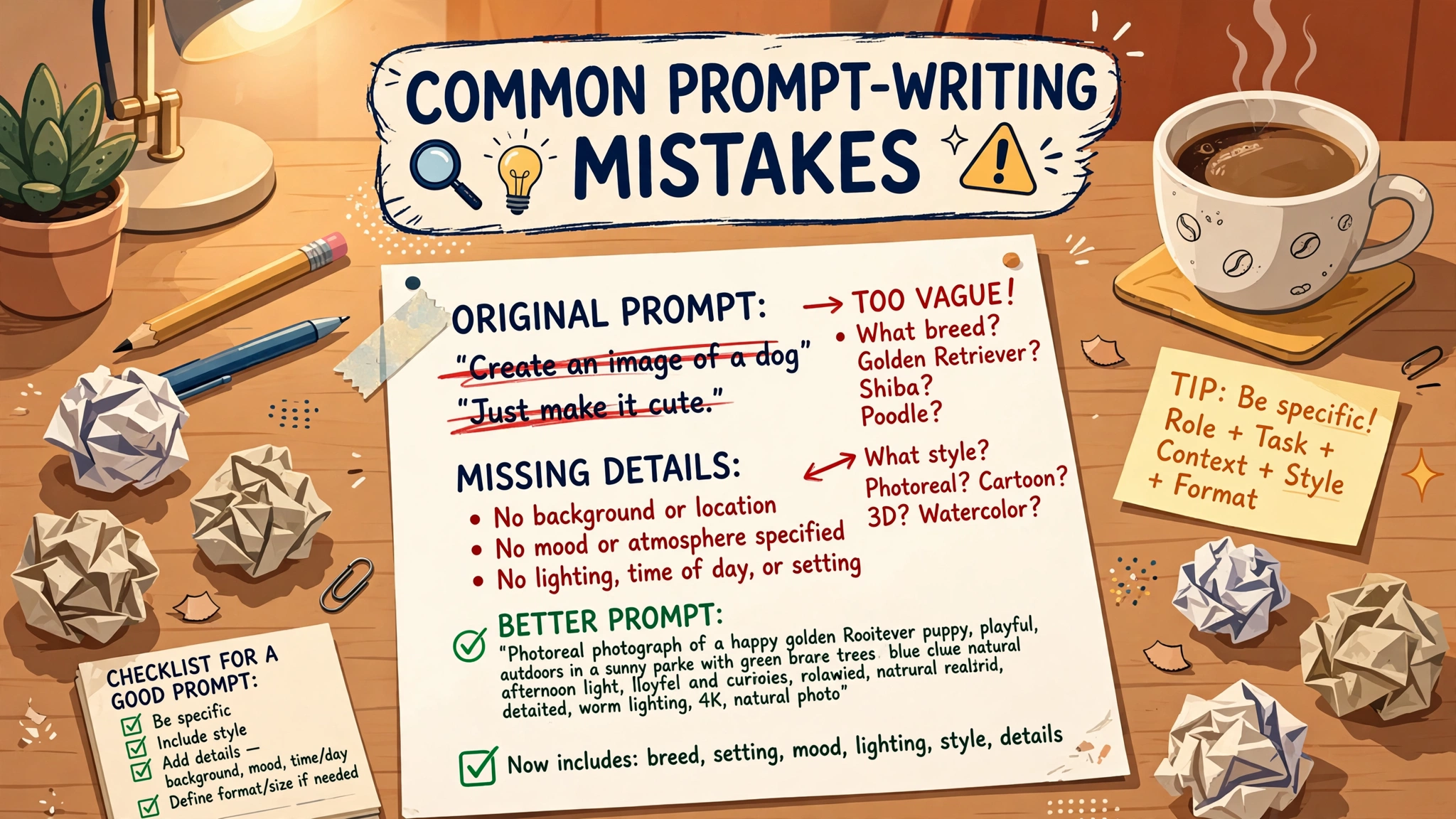
- Prompting in vague superlatives. “Beautiful”, “amazing”, “best quality” carry almost no visual information. Replace each with something concrete you can picture.
- Contradicting yourself. “Photorealistic anime style” or “bright dark moody lighting” pulls the model in two directions and you get mush. Pick one lane per block.
- Ignoring the background. No environment = default void. Always name the setting, even if it’s just “plain studio backdrop”.
- Forgetting lighting. Flat, boring images are usually a lighting problem, not a model problem. Add one lighting phrase and regenerate before changing anything else.
- Changing everything at once. When a result disappoints, change one block and regenerate. If you rewrite the whole prompt, you’ll never learn which change fixed it.
- Skipping the negative prompt. Five seconds adding “watermark, text, blurry” prevents the most common artifacts.
- Judging from a single generation. Generation has randomness built in. Run the same prompt 3–4 times and pick the best — professionals do this on every job.
Advanced Techniques Worth Learning Next
Once the basics are solid, these four techniques separate casual users from power users:
- Iterative refinement. Treat your first generation as a sketch. Keep what worked, rewrite one block, regenerate. Three tight iterations beat thirty random ones.
- Emphasis and weighting. Many models let you emphasize a phrase with parentheses or numeric weights, e.g.
(freckles:1.3). Use it sparingly on the one or two details that define your image. - Seeds for consistency. Reusing a seed value keeps composition stable while you tweak wording — essential when you’re refining a character or scene across multiple generations.
- Aspect ratio as a creative choice. Portrait orientation for character work, 16:9 for scenes. Setting it deliberately (instead of accepting the default square) instantly makes results look more intentional.
A Note on Creating Responsibly
Powerful tools come with responsibilities. As a best practice, depict only fictional adults — never real, identifiable people without their consent. That’s the line that keeps AI art sustainable and defensible. If you’re ever unsure, read the moderation policy and the consent checklist for AI image editing before you generate.
Frequently Asked Questions
How long should an AI image prompt be?
Long enough to fill the seven building blocks, short enough to stay coherent — usually 30 to 80 words. Beyond ~100 words, models start dropping details. If your prompt is an essay, split it: keep the core scene in the prompt and move fine details into iterative refinements.
Do I need to write prompts in English?
Yes, for now. Today’s image models are trained overwhelmingly on English captions, so English prompts produce noticeably more accurate results than other languages, even from fluent speakers.
Why does my image look different from what I described?
Usually one of three causes: a vague block (often lighting or background), a contradiction between blocks, or simply the model’s random sampling. Fix it in that order: concretize, de-contradict, then regenerate a few times before rewriting.
Can I reuse prompts other people share?
Absolutely — prompt sharing is how most people learn. But treat shared prompts as starting templates, not magic spells. The same prompt renders differently across models, so adapt the style and quality tags to the generator you’re using.
Where can I practice prompting for free?
SpicyLab lets guests generate a free image without signing up — no account, prompt-only mode. It’s the fastest way to test the formulas in this guide: paste one in, see what comes out, and iterate. When you’re ready for higher fidelity, registered users get daily credits and premium members unlock the advanced model. If you’re still choosing a platform, our best AI porn generators roundup compares free tiers, pricing, and features across 8 leading tools.
Ready to put this into practice? Generate your first free image or browse the gallery to see what well-built prompts produce.