Consent Checklist for AI Image Editing
September 21, 2026
AI image editing tools — face swap, image-to-image, inpainting, upscaling — are powerful precisely because they work on real pixels of real pictures. That power is also what makes consent non-negotiable. Before you upload any image to an AI editor, you need clear answers to two questions: do I have the right to use this image, and does every person in it agree to what I’m about to do with it?
This checklist turns those questions into a concrete, repeatable routine. Run through it before every upload — it takes two minutes and protects you from the account bans, legal exposure, and reputational damage that follow non-consensual editing.
Why Consent Comes Before Creativity
AI editing collapsed the distance between “I have a photo” and “I can change what it shows.” Swapping a face, altering clothing, or re-posing a figure used to require professional retouching skills; now it’s a button press. That ease is exactly why platforms, payment processors, and lawmakers treat non-consensual AI imagery as a serious abuse category.
The practical consequences are immediate: uploads of real people’s photos without authorization get flagged by automated moderation, accounts get suspended, and in many jurisdictions, creating sexualized imagery of someone without consent is illegal regardless of whether the tool made it “easy.” The checklist below isn’t legal advice — laws vary by country and state — but it reflects the standard reputable AI platforms aim to enforce.
The core principle is simple: edit only what you own or are authorized to edit, and depict only fictional adults or real people who have explicitly agreed. Everything below is that principle, operationalized.
Rule 1: Only Upload Images You Own or Are Licensed to Use
The first gate is about the image file itself, before you even think about who’s in it. You may upload an image when at least one of these is true:
- You created it. Photos you took, screenshots of your own work, and AI images you generated yourself are the cleanest source material.
- You have a license. Properly licensed stock photos, with terms that permit modification and AI processing. Read the license — many “free” image licenses prohibit AI training or synthetic-media use.
- You have written permission. A client, collaborator, or model who explicitly authorized you to edit and publish the image. Keep the permission in writing (email is fine).
What fails this gate: images scraped from social media, search results, or other websites; screenshots of someone else’s content; “I found it on a free wallpaper site” without checking the actual license. If you can’t name the source of your rights, you don’t have rights.
When in doubt, generate instead of uploading. An AI-generated image you created — for example with SpicyLab’s image generator — gives you a clean, fictional starting point with no rights ambiguity and no real person involved. Our roundup of the best AI porn generators compares free tiers and features across 8 tools if you’re evaluating options.
Rule 2: Fictional Characters Only — Never Real People Without Consent
The second gate is about who is depicted. This is where most violations happen, and the rule is simple:
- Fictional, AI-generated people: fine. Characters that don’t correspond to any real individual are the intended subject of these tools.
- Yourself: fine, provided you’re an adult and the image is yours.
- Real people with explicit consent: fine — but “explicit” means they know what you’re making and agreed to it, not “they probably wouldn’t mind.”
- Real people without consent: never. This includes public figures, influencers, coworkers, ex-partners, and strangers. Fame is not consent. A public Instagram profile is not consent.
This applies with full force to face swap specifically. Face swap’s entire function is placing one person’s likeness onto another image, which makes unauthorized use of someone’s face the most direct possible violation. Before any face swap, confirm: is the source face fictional, yourself, or someone who explicitly agreed? If the honest answer is “neither,” stop.
A common rationalization to discard: “it’s just for private use, nobody will see it.” Private creation of non-consensual intimate imagery is still non-consensual, still violates platform terms, and still creates a file that can leak, be shared, or be discovered. The consent requirement doesn’t have a privacy exception.
Rule 3: Adults Only, Always
Every person depicted — real or fictional — must be unambiguously an adult. This is a hard boundary with no gray area:
- Do not upload, edit, or generate imagery of minors, or of characters that could reasonably be read as minors.
- Avoid prompts and source images where age is ambiguous. If you have to argue that a character “is actually an adult,” choose a different character.
- State age plainly in your own generations (“adult woman in her late 20s”) rather than relying on implication.
Automated moderation systems are tuned to be aggressive here, and rightly so — false positives get your content blocked, but the alternative is far worse. When age is ever in question, the answer is always to pick different source material.
Rule 4: Respect Platform Rules and the Law Where You Live
Consent isn’t only an ethical concept — it’s enforced by overlapping systems, and you need to satisfy all of them:
- Platform terms. SpicyLab’s moderation policy defines what’s allowed — check it before uploading anything that depicts real people. Other platforms have their own equivalents — “it was allowed elsewhere” is not a defense here.
- Your local law. Many jurisdictions now have specific statutes against non-consensual intimate imagery, including AI-generated imagery. Some cover creation, some cover distribution, some cover both. A checklist can’t substitute for legal advice, but “the tool let me do it” has never been a legal defense.
- Deception rules. Beyond consent, don’t create imagery designed to mislead: fake endorsements, fabricated events, impersonation. Synthetic media that deceives is its own violation category on most platforms.
Rule 5: Keep a Record of Authorization
For anything beyond purely personal, fictional creations, keep documentation:
- Save written permissions (emails, signed releases, license receipts) where you can find them again.
- Note the source and license of stock or third-party images you use.
- If you create content commercially or collaboratively, keep model releases like a photographer would — AI editing doesn’t exempt you from standard media practices.
This sounds bureaucratic until the day someone disputes an image. Then it’s the difference between a five-minute resolution and a serious problem. Professionals in photography and film have done this for decades; AI creators should adopt the same habit.
The 2-Minute Pre-Upload Checklist
Copy this, keep it next to your workflow, and run it before every upload:
- Source rights: Did I create this image, license it, or get written permission to edit it? Can I name the source of my rights?
- Identity: Is every depicted person fictional, myself, or someone who explicitly consented to this specific use?
- No real faces without consent: Am I about to use any real person’s likeness — including public figures — without their clear agreement? If yes, stop.
- Adults only: Is every depicted person unambiguously an adult? Any ambiguity means new source material.
- Purpose check: Could this image deceive, harass, defame, or embarrass anyone? If yes, don’t create it.
- Platform fit: Does this comply with SpicyLab’s moderation policy and the law where I live?
- Records: If anyone else’s rights are involved, is the permission saved somewhere I can find it?
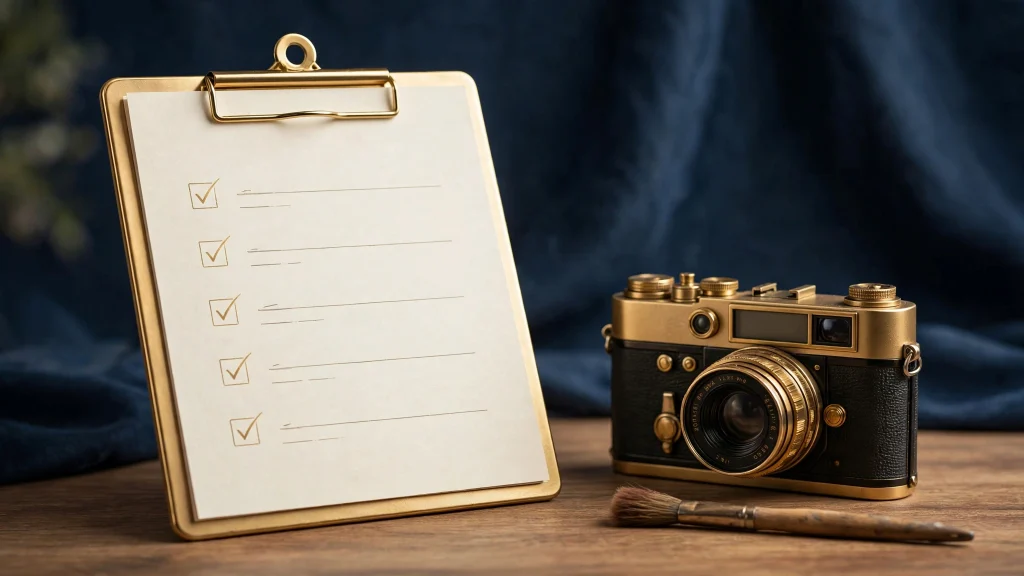
Seven yes-or-no questions. If any answer is “no” or “I’m not sure,” the upload waits until you can answer honestly. “I’m not sure” is a no.
Red Flags: Stop and Reconsider
Certain patterns should trigger an immediate pause, because they correlate strongly with violations:
- “It’s just a celebrity, they won’t care.” They might, their representatives definitely might, and the platform will regardless.
- “I’ll only keep it private.” Non-consensual content doesn’t become consensual in private, and private files have a way of becoming public.
- “The face is only slightly recognizable.” “Slightly recognizable” is recognizable. Likeness rights don’t have a 70%-similarity threshold.
- “Someone else uploaded the photo, so it’s fair game.” A third party’s upload grants you nothing.
- “I’ll age the character up in the prompt.” If the source reads as a minor, no prompt engineering fixes it. Start over with different material.
What Happens When You Get It Wrong
Understanding the enforcement side makes the checklist feel less abstract. On platforms that take consent seriously, violations typically follow an escalating path: the content is blocked or removed, repeated violations lead to temporary restrictions, and serious or repeated abuse — especially involving real people or minors — leads to permanent account termination. Separately, affected individuals can pursue legal remedies that don’t involve the platform at all.
There’s also a quieter cost: creators who build workflows on non-consensual material eventually lose their libraries, their accounts, and their audiences when enforcement catches up. Building on consented, fictional, properly-sourced material is simply the durable strategy — your work survives, your account survives, and you never have to wonder.
Building a Consent-First Workflow
The checklist works best when it’s embedded in your process rather than bolted on at the end. Here’s how experienced creators structure their workflow so consent is handled once, up front, instead of re-litigated on every upload:
- Maintain a clean asset library. Keep two folders: “cleared” (your own photos, licensed stock with receipts, AI generations) and “incoming” (everything unverified). Nothing moves from incoming to cleared without passing the checklist. Over time, cleared becomes your default source pool and the checklist stops feeling like friction.
- Default to generation for fictional work. If the end goal is a fictional character anyway, generating the base image with an AI tool eliminates both gates at once — no rights question, no real person. Upload-based editing is for when you genuinely need a specific real-world source, not the lazy default.
- Template your permissions. If you work with collaborators, models, or clients, keep a one-page release template that covers AI editing and synthetic-media use explicitly. Getting it signed once beats reconstructing consent from chat logs later.
- Review before publishing, not just before uploading. Run the checklist a second time at publication: does the final image still depict only who you intended? Edits can drift — a face swap that “mostly” changed the face, an inpaint that preserved a recognizable background person. The final frame is what counts.
- Teach the habit to anyone you collaborate with. If you share an account, a project, or a workflow with others, make the checklist the shared standard. One collaborator’s shortcut can jeopardize everyone’s work.
None of this slows down serious creators. What slows people down is the opposite: rebuilding a library after a takedown, appealing a suspension, or explaining an image they can’t account for. Consent-first is the fast workflow on any timeline longer than a week.
Frequently Asked Questions
Can I face-swap myself into an AI-generated scene?
Yes — that’s one of the legitimate core uses. Your own face, your own choice. Just make sure the base image is also clean (AI-generated or properly licensed) and everyone depicted is an adult. Try face swap here.
What counts as consent for using someone’s photo?
Explicit, informed agreement to the specific use — they know what you’re making and said yes. A photo being publicly visible, a friendly relationship, or past permission for something different doesn’t qualify. When money or publication is involved, get it in writing.
Are AI-generated fictional characters safe to edit?
Yes, provided they’re clearly fictional adults that don’t resemble any real person. If your “fictional” character is recognizably modeled on a real individual, treat it as that real individual and get consent or change the design.
Can I edit screenshots or memes I found online?
Only if you can clear both gates: rights to the image and consent of depicted people. Most found images fail at least one. The practical answer is usually no — generate your own base image instead, for example with SpicyLab’s image generator, and edit that.
Does private, never-shared content still need consent?
Yes. Consent is about the person’s rights over their likeness, not about audience size. Platform terms apply to uploads regardless of your sharing intentions, and private files can always surface later.
The short version: own your source material, depict fictional adults (or consenting real adults), keep records, and when in doubt, generate instead of uploading. Create with SpicyLab, or compare platforms in our best AI porn generators comparison — and bookmark this checklist for every future upload.